
Computer Memory
Memory is the essential part of computers. We use computers to process the data and to store data/information so that we can use that data/information in future. Memory is the part of the computer that makes it possible.
Memory is the hardware component of a computer that is used to store data/information permanently or temporarily.
What is Computer Memory?
Computer memory is the physical devices used to store data temporarily or permanently in binary form (0s and 1s). This data is used by the computer’s processor for calculations and operations.
Types of Memory
- Processor’s internal memory
- Primary memory
- Secondary memory
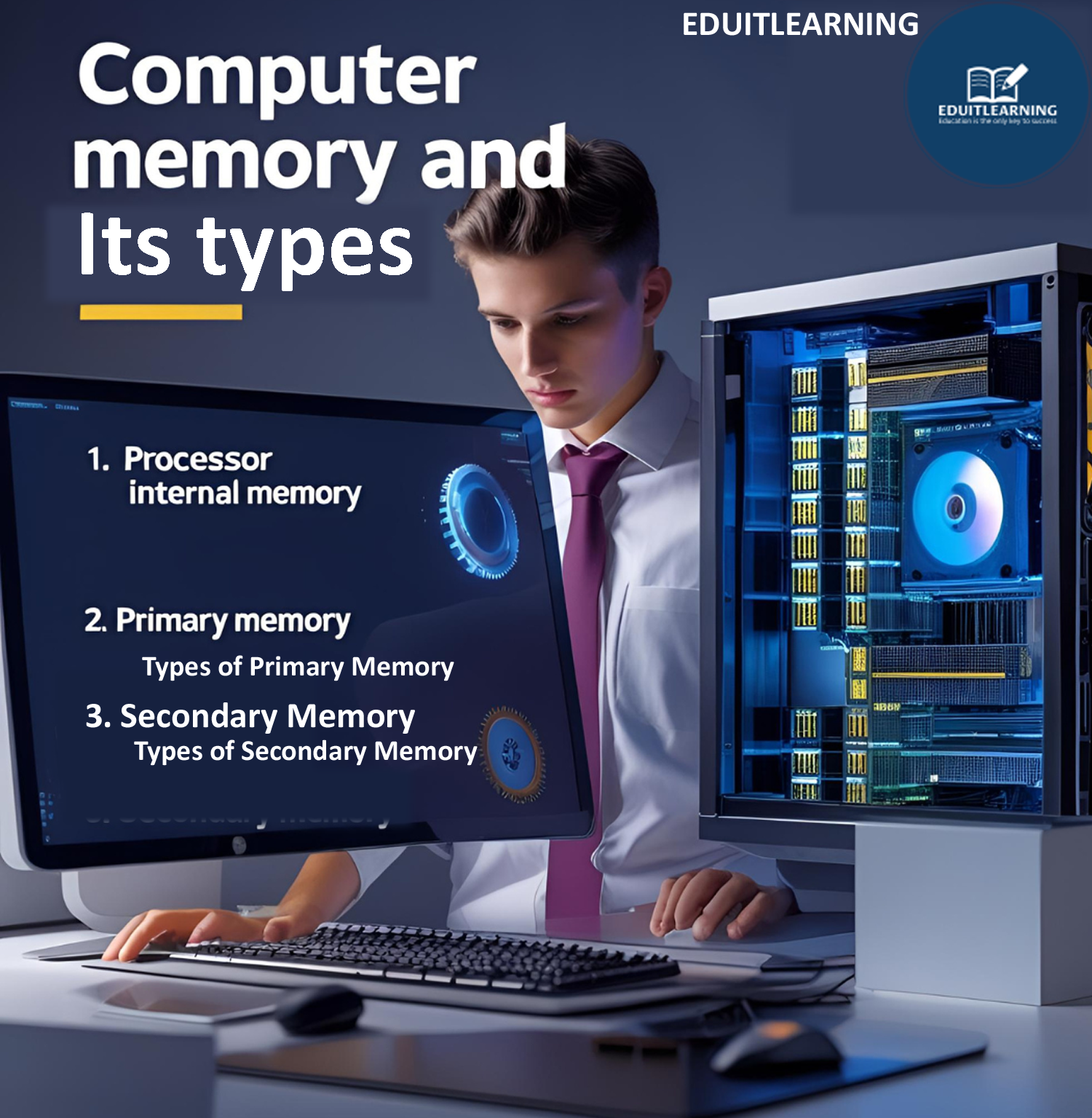
Processor’s internal memory
Typically called registers. Registers are the small and fast storage location within the processor/CPU.
Processor internal memory is the fastest memory and is located inside the CPU itself. It stores data and instructions that the CPU is currently using.
Types of Processor Memory
a) Registers
- Smallest and fastest memory unit
- Located inside the CPU
- Stores operands, instructions, addresses, and intermediate results
- Directly accessed by the processor
Examples:
- Accumulator
- Program Counter (PC)
- Instruction Register (IR)
- Memory Address Register (MAR)
b) Cache Memory
- High-speed memory between CPU and RAM
- Stores frequently used data and instructions
- Reduces access time and improves performance
Types of Cache Memory
- L1 Cache – Inside CPU, fastest, smallest
- L2 Cache – Larger than L1, slightly slower
- L3 Cache – Shared among cores, slower than L2
Cache memory is usually built using SRAM.
Primary Memory
It is also called the main memory of the computer. It stores data temporarily. It is a volatile memory that means when power is off, its data is lost.
It communicates directly with the CPU that means it can send and receive data directly to/from the CPU.
It stores data or instructions that are actively being processed by the CPU.
Types of Primary Memory
1. RAM(Random Access Memory): –
RAM stands for Random Access memory. It is a temporary storage memory and internal memory of the computer.
It is also called the main memory of the computer. It is a volatile memory means when power is off then its data will be deleted.
It is faster than secondary memory because it communicates directly with the CPU. It only stores data that is currently running or processed by the CPU.
Types of RAM
I. SRAM
II. DRAM
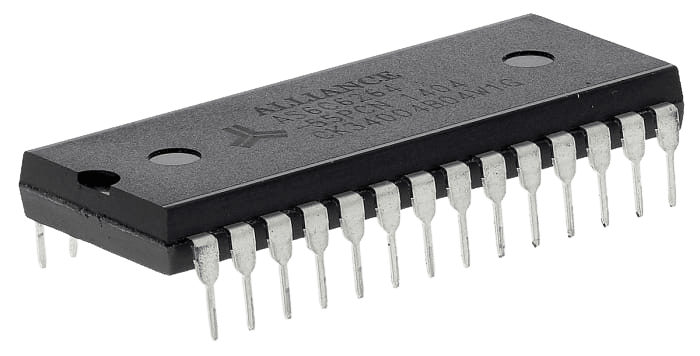
i. SRAM(Static Random Access Memory)
SRAM is faster than other RAM means its data accessing speed is faster than other RAM but SRAM is more expensive than others.
It is made with flip-flops. It refreshes automatically. It stores data for a longer time than other RAM.
These characteristics make SRAM suitable for use in applications where speed and data persistence are important despite its high cost. It is used as cache memory in computers.
Cache memory that stores copies of frequently used data from main memory.
ii. DRAM(Dynamic Random Access Memory)
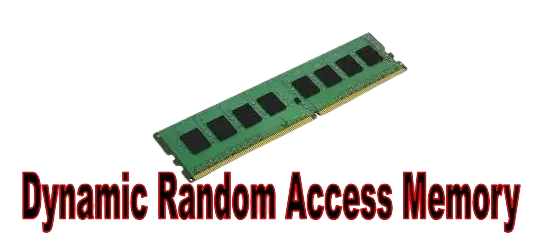
DRAM has to be refreshed frequently. It is slower and cheaper than SRAM. It is made with transistors and capacitors that store 1 bit of information.
The data keeps changing automatically because it stores the currently running or processing data.
It is used as a main memory of the computer (RAM) to store running or processing data but SRAM is used as a cache memory.
2. ROM(Read Only Memory)
ROM is a non-volatile memory that means when power is off, the data will not be lost. We only can use the ROM data not edit or install therefore its name is read only memory.
It stores data that is not frequently modified or changed. In ROM, the data is installed during manufacturing and after that we cannot change or modify its data.
It communicates directly with the CPU, which means the CPU can access ROM data directly.

Types of ROM
i. MROM(Masked Read Only Memory)
MROM is the type of ROM that is programmed during manufacturing. Data is permanently stored in it.
Users cannot modify or change its data. MROM is often used for storing firmware or other critical system data that should not be changed during normal operation.
PROM is a type of ROM that is made blank. In it, the data is not installed during manufacturing.
ii. PROM(Programmable Read Only Memory)
Users can install any type of data in it but only once. After installing, the data cannot be modified or deleted by users, only manufacturers can delete or modify.
iii. EPROM(Erasable Programmable Read Only Memory)
EPROM can be reprogrammed many times. Its data can be deleted using ultraviolet(UV) light. When ultraviolet light is passed on it for 40 minutes, its data gets deleted.
iv. EEPROM
EEPROM can also be reprogrammed many times. Its data is deleted electrically. When a special electrical signal passes on it then its data is deleted.
The special electrical signals used to erase and write data in EEPROM are typically high voltage pulses or specific voltage levels applied to certain pins of the EEPROM chip.
Secondary Memory
Secondary memory is also called external or auxiliary memory. It is the storage device that is used to store huge amounts of data permanently.
It is a non-volatile memory meaning its data will not delete if power is off. It is slower than primary memory because it does not communicate directly with the CPU.
When we open its data then that data firstly goes into RAM and RAM sends that data to CPU for processing.
There is RAM between Secondary memory and CPU. It is specially used to store data for the long term.
Types of Secondary memory
- Fixed Devices
- Removable Devices
Fixed Devices
HDD (Hard Disk Drive)
HDD is the type of secondary memory that stores data in plates. It is a permanent storage device that is used to store huge amounts of data.
It is a non-volatile memory. It has one or more plates that store data. The plates have tracks and sectors, data is stored in the sector. One sector stores 512 bytes of data.
That plate always keeps rotating when power is on with the help of a motor. This rotation is necessary for the read/write heads to access different parts of the disk quickly.


SSD(Solid State Drive)
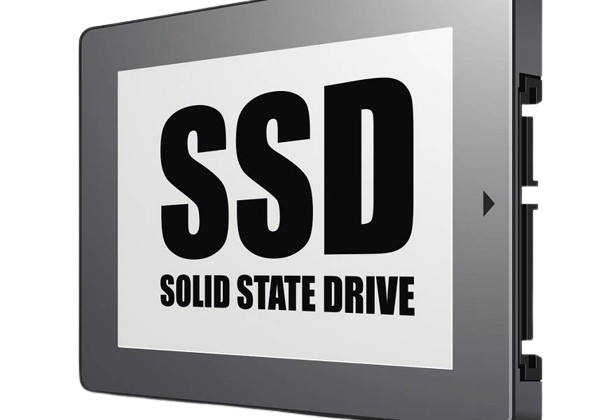
An SSD is a non-volatile memory that stores huge amounts of data permanently. It uses NAND flash memories (millions of transistors wired on a circuit).
It is faster than the HDD because it has no moving parts but it is more expensive than the HDD. It is small in physical size, portable and lightweight.
SSDs are known for their speed, durability, and efficiency, making them a popular choice for many applications.
Removable Devices
Pen Drive
Pendrive is a smaller, portable, faster and more reliable memory. It also stores huge amounts of data permanently. It is also known as USB flash drive or thumb drive.
It is faster than HDD because it uses flash memory technology, which has no moving parts.
They are commonly used for quickly transferring data from one device to another.
CD(Compact Disk)
Also called CD-ROM, is a permanent storage device that can store up to 700 MB of data. It has tracks and sectors like HDD. For reading the data from CD-ROM, a laser beam of lower intensity is employed.
DVD(Digital Versatile Disk)
It stores more data than CDs. Its capacities are 4.7GB, 8.5GB and 20GB.DVDs use laser beams of shorter wavelength to read or write data.
It can be single sided storage or double sided storage. In single sided, data is stored only in one side and In double sided, the data is stored in both sides. Double sided DVDs store more data than single sided.
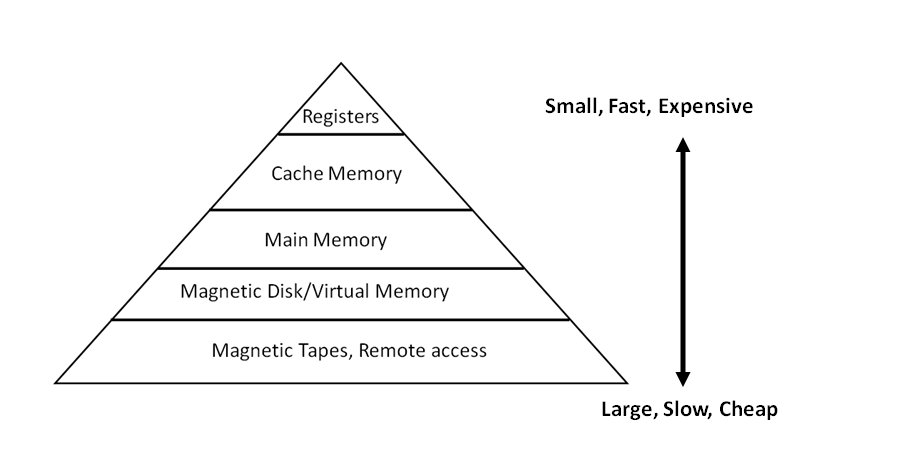
Memory Hierarchy

Most Important Questions
What is Computer Memory?
Memory is the hardware component of a computer that is used to store data/information permanently or temporarily.
What is primary memory?
It is a volatile memory that means when power is off, its data is lost. It communicates directly with the CPU that means it can send and receive data directly to/from the CPU.
What is RAM?
It is a temporary storage memory and internal memory of the computer. It only stores data that is currently running or processed by the CPU.
What is SRAM?
It is made with flip-flops. It is used as cache memory in computers. Cache memory that stores copies of frequently used data from main memory.
What is DRAM?
It is slower and cheaper than SRAM. It is used as a main memory of the computer (RAM) to store running or processing data.
What is Secondary Memory?
It is the storage device that is used to store huge amounts of data permanently.
What is an HDD (Hard Disk Drive)?
HDD is the type of secondary memory that stores data in plates. It is a permanent storage device that is used to store huge amounts of data.