
CSS Tutorial
If you want to create beautiful, professional, and responsive websites, then CSS is one of the most important technologies you must learn.
After learning HTML, many students ask:
“Sir, my webpage is working, but why does it look so plain?”
The answer is simple:
Because HTML creates structure, while CSS creates design.
HTML tells the browser what content should appear on the webpage.
However, CSS controls how that content looks.
For example, CSS can be used to:
- Change colors
- Add spacing
- Style buttons
- Create layouts
- Build responsive designs
- Add animations
- Improve user experience
Therefore, CSS plays a major role in modern web development.
Without CSS, websites would contain only plain text and basic content structure.
In this complete CSS tutorial, I will guide you step-by-step through all the important concepts that every beginner should learn.
Follow these lessons in sequence to build a strong CSS foundation.
CSS Fundamentals
- Introduction to CSS
- CSS Rendering Priority
- CSS Selectors
- Combinator Selectors
- Attribute Selectors
- Pseudo Class Selectors
- Pseudo Element Selectors
Styling Elements
- CSS Colors
- CSS Box Model
- CSS Border
- CSS Border Width
- CSS Border Color
- CSS Rounded Border
- CSS Fonts & Typography
- CSS Lists
Layout and Positioning
- CSS Display Properties
- CSS Flexbox
- CSS Grid
- CSS Grid Container
- CSS Grid Gap
- Placing Grid Items
- Grid Template Areas
- CSS Grid Auto Placement
- CSS Grid Shorthand Properties
- Alignment Inside Grid
- Item Level Alignment
Advanced CSS
- CSS Transform
- CSS Translate
- Scale in CSS
- CSS Rotate
- CSS Skew
- CSS Position
- CSS Overflow
- CSS Background
- CSS Transition
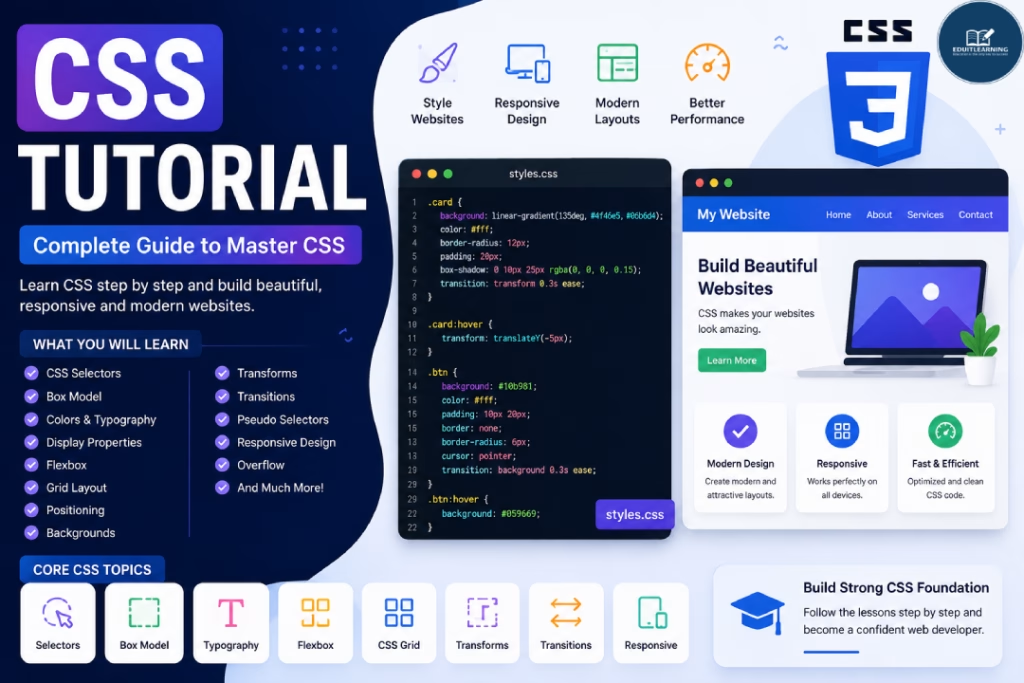
What is CSS?
CSS stands for Cascading Style Sheets.
It is a stylesheet language used to control the appearance and presentation of HTML elements.
HTML provides structure.
CSS provides styling.
For example, HTML creates a button.
Meanwhile, CSS controls:
- Button color
- Button size
- Button border
- Button hover effects
- Button positioning
Because of this, CSS is responsible for the visual appearance of a webpage.
Why Learn CSS?
Many students understand HTML quickly.
However, their webpages often look basic and unprofessional.
This is where CSS becomes important.
CSS allows developers to:
- Design webpages
- Improve readability
- Create layouts
- Build responsive interfaces
- Enhance user experience
Additionally, CSS is required for:
- Frontend Development
- Web Design
- UI Development
- WordPress Development
- Full Stack Development
Therefore, CSS is a fundamental skill for every web developer.
Prerequisites Before Learning CSS
Before starting CSS, you should understand:
- Basic HTML
- HTML Elements
- HTML Structure
- Headings and Paragraphs
- Forms and Tables
Because CSS works on HTML elements, learning HTML first is highly recommended.
CSS Complete Learning Roadmap
Many beginners start applying styles without understanding how CSS works.
However, learning concepts in the correct order makes CSS much easier.
Let’s go through the complete roadmap.
Introduction to CSS
This is where your CSS journey begins.
In this lesson, you will learn:
- What CSS is
- Why CSS was created
- Features of CSS
- Benefits of CSS
- Uses of CSS
Additionally, you will understand how CSS separates design from content.
CSS Rendering Priority
One of the most confusing topics for beginners is understanding which CSS rule gets applied when multiple styles exist.
This concept is called CSS Rendering Priority.
You will learn:
- Inline CSS
- Internal CSS
- External CSS
- Specificity Rules
As a result, you will understand why certain styles override others.
CSS Selectors
Selectors tell CSS which HTML elements should receive styling.
Without selectors, CSS cannot target elements.
In this lesson, you will learn:
- Element Selectors
- Class Selectors
- ID Selectors
- Universal Selectors
Selectors are among the most frequently used concepts in CSS.
Combinator Selectors
Sometimes styling a single element is not enough.
Therefore, CSS provides combinator selectors.
You will learn:
- Descendant Selector
- Child Selector
- Adjacent Sibling Selector
- General Sibling Selector
These selectors help create more precise styling rules.
Attribute Selectors
Attribute selectors target elements based on their attributes.
For example:
- Input Type
- Placeholder
- Links
Because of this, they provide additional flexibility when styling webpages.
Pseudo Class Selectors
Pseudo classes define special states of elements.
Examples include:
- Hover
- Focus
- Active
- Visited
Additionally, pseudo classes improve user interaction and usability.
Pseudo Element Selectors
Pseudo elements allow developers to style specific parts of an element.
Examples include:
- ::before
- ::after
- ::first-letter
- ::first-line
Therefore, they help create advanced visual effects.
CSS Colors
Colors play an important role in web design.
They improve aesthetics and user engagement.
You will learn:
- Named Colors
- HEX Colors
- RGB Colors
- RGBA Colors
- HSL Colors
As a result, you will be able to create visually appealing designs.
CSS Box Model
Every HTML element follows the CSS Box Model.
This concept is one of the most important topics in CSS.
The Box Model consists of:
- Content
- Padding
- Border
- Margin
Understanding the Box Model helps developers control spacing accurately.
CSS Border
Borders define the boundaries of elements.
You will learn:
- Border Styles
- Border Width
- Border Color
- Border Properties
Borders improve element visibility and structure.
CSS Border Width
This lesson focuses on controlling border thickness.
You will learn:
- Pixel Values
- Different Side Widths
- Practical Border Styling
CSS Border Color
Borders can use different colors.
Additionally, CSS allows applying separate colors to different sides.
Because of this, developers can create more attractive interfaces.
CSS Rounded Border
Rounded borders create modern user interfaces.
You will learn:
- Border Radius
- Rounded Corners
- Circular Elements
Rounded borders are commonly used in buttons and cards.
CSS Fonts & Typography
Typography plays a major role in readability.
Therefore, understanding fonts is important.
You will learn:
- Font Family
- Font Size
- Font Weight
- Text Alignment
- Line Height
Good typography improves user experience significantly.
CSS Lists
Lists can be styled using CSS.
You will learn:
- List Style Type
- Custom Bullets
- List Positioning
As a result, lists become more visually appealing.
CSS Display Properties
Display properties control how elements appear on the webpage.
You will learn:
- Block Elements
- Inline Elements
- Inline-Block Elements
- Display None
Understanding display behavior is essential for layouts.
CSS Flexbox
Flexbox is one of the most popular layout systems in CSS.
It simplifies alignment and positioning.
You will learn:
- Flex Container
- Flex Items
- Justify Content
- Align Items
- Flex Direction
Additionally, Flexbox makes responsive layouts easier to create.
CSS Grid
CSS Grid is a powerful two-dimensional layout system.
Unlike Flexbox, Grid handles both rows and columns.
Therefore, it is ideal for complex layouts.
CSS Grid Container
Grid containers control grid behavior.
You will learn:
- Display Grid
- Grid Structure
- Grid Layout Basics
CSS Grid Gap
Spacing between rows and columns is managed using Grid Gap.
Because of this, layouts become cleaner and easier to maintain.
Placing Grid Items
You will learn how to position items within grid layouts.
Additionally, you will understand row and column placement.
Grid Template Areas
Template areas provide a visual way to create layouts.
As a result, complex layouts become easier to manage.
CSS Grid Auto Placement
Auto placement helps CSS decide where items should appear automatically.
This reduces manual positioning effort.
CSS Grid Shorthand Properties
Shorthand properties reduce code length and improve readability.
Therefore, developers can write cleaner CSS.
Alignment Inside Grid
Grid provides multiple alignment options.
You will learn:
- Horizontal Alignment
- Vertical Alignment
- Content Alignment
Item Level Alignment
Individual grid items can also be aligned separately.
This provides greater layout flexibility.
CSS Transform
Transforms modify the appearance of elements.
You will learn:
- Translate
- Scale
- Rotate
- Skew
These effects help create interactive designs.
CSS Translate
Translate moves elements from one position to another.
Additionally, it is commonly used in animations.
Scale in CSS
Scale changes the size of elements.
For example, buttons can enlarge on hover.
This creates better user interaction.
CSS Rotate
Rotation allows elements to rotate around an axis.
Therefore, creative visual effects become possible.
CSS Skew
Skew creates angled transformations.
It is often used for modern design effects.
CSS Position
Position controls where elements appear on the webpage.
You will learn:
- Static
- Relative
- Absolute
- Fixed
- Sticky
Positioning is a crucial layout concept.
CSS Overflow
Overflow determines what happens when content exceeds its container.
You will learn:
- Visible
- Hidden
- Scroll
- Auto
Because of this, content can be managed more effectively.
CSS Background
Background properties improve webpage design.
You will learn:
- Background Color
- Background Image
- Background Position
- Background Repeat
Background styling is used extensively in modern websites.
CSS Transition
Transitions create smooth visual effects between states.
For example:
- Hover Effects
- Color Changes
- Size Changes
As a result, websites feel more interactive and professional.
What Should You Learn After CSS?
After completing CSS, the next step is learning JavaScript.
Additionally, you can continue with:
- DOM Manipulation
- Responsive Design
- React.js
- Node.js
- Express.js
- MongoDB
As a result, you move closer to becoming a Full Stack Developer.
Career Opportunities After Learning CSS
CSS is an essential skill for:
- Frontend Developers
- UI Developers
- Web Designers
- WordPress Developers
- Full Stack Developers
Therefore, mastering CSS increases your opportunities in web development.