
CSS Combinator Selectors
CSS combinator selectors – Defines the relationship between two or more HTML elements.
Combinator Selectors
In CSS, when we want to select elements based on how they are related to other elements (like a child, sibling, or inside another element), we use Combinator Selectors.
These selectors help in targeting elements more specifically by describing relationships between them.
There are 4 types of Combinator Selectors:
- Descendant Selector (space)
- Child Selector ( > )
- Adjacent Sibling Selector ( + )
- General Sibling Selector ( ~ )

1. Descendant Selector (space)
Syntax:
div p {
  color: red;
}
This selector will apply styles to all <p> elements that are located anywhere inside a <div> — directly or deeply nested.
Example HTML:
<div>
  <p>This paragraph is inside div and will be red.</p>
  <section>
    <p>This paragraph is also inside div (nested) and will be red.</p>
  </section>
</div>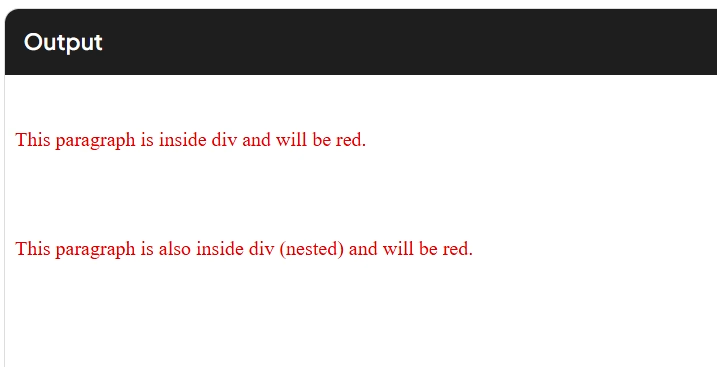
- The space between
divandpmeans:
“Find all<p>elements that are descendants of any<div>element.” - The
<p>can be a child, grandchild, or even deeper inside<div>. - As long as it is somewhere within the
<div>, it will be selected.
2. Child Selector (>)
Syntax:
ul > li {
  font-weight: bold;
}
This selector applies styles to only those <li> elements that are direct children of a <ul> — not nested deeper.
Example HTML:
<ul>
  <li>This will be bold (direct child)</li>
  <li>This will also be bold</li>
</ul>
<div>
  <ul>
    <li>This will also be bold (ul > li)</li>
    <ol>
      <li>This will NOT be bold (not a direct child of ul)</li>
    </ol>
  </ul>
</div>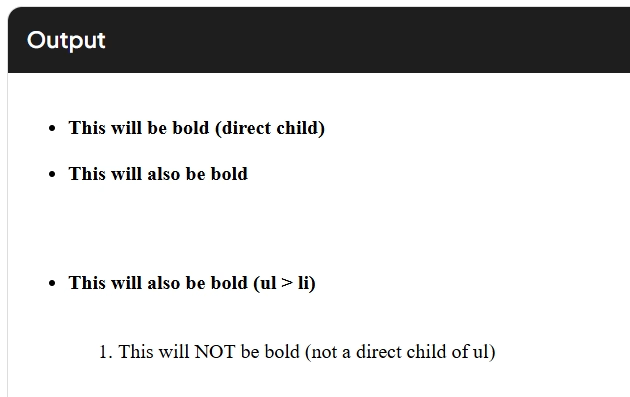
- The
>means:
“Select<li>elements that are immediately inside a<ul>.” - If the
<li>is nested inside another list, it won’t be selected. - Only direct parent-child relationship is allowed here.
3. Adjacent Sibling Selector (+)
Syntax:
h2 + p {
  color: blue;
}
This selector targets the first <p> element that comes immediately after any <h2> element.
Example HTML:
<h2>Heading</h2>
<p>This paragraph is right after h2 and will be blue.</p>
<p>This paragraph will NOT be blue because it is not immediately after h2.</p>
<h2>Another Heading</h2>
<div></div>
<p>This paragraph will NOT be blue because there is a div in between.</p>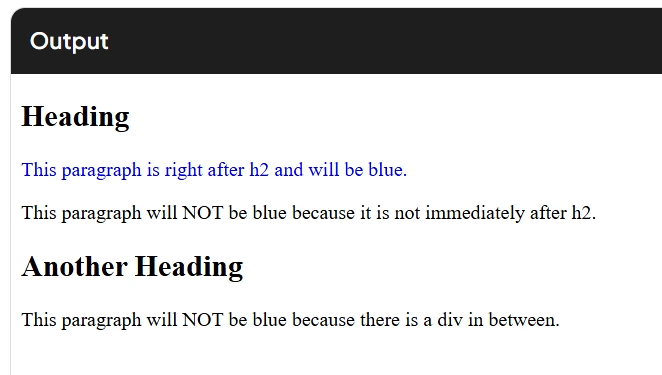
- The
+combinator checks for immediate next sibling only. - Both
<h2>and<p>must be inside the same parent container. - Only the very next element after
<h2>is selected if it’s a<p>.
4. General Sibling Selector (~)
Syntax:
h2 ~ p {
  font-style: italic;
}
This selector will target all <p> elements that are siblings of <h2> and appear after it, no matter how far down.
Example HTML:
<h2>Heading</h2>
<p>This paragraph will be italic.</p>
<div>Some content</div>
<p>This paragraph will also be italic.</p>
<p>This one too.</p>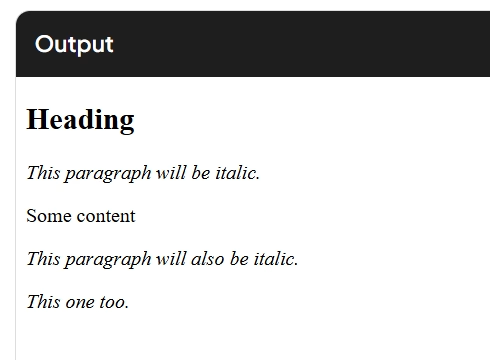
- The
~combinator selects all siblings of<h2>that are<p>elements and come after it. - All selected elements must share the same parent as
<h2>. - It is not limited to just the first next element — all matching siblings after
<h2>are included.
Most Important Questions
What is the difference between a descendant selector and a child selector in CSS?
A descendant selector (written with a space like div p) selects all <p> elements that are inside <div>, no matter how deeply they are nested. It allows multiple levels of nesting.
A child selector (written with > like div > p) selects only those <p> elements that are immediate/direct children of <div>. It does not select nested elements beyond the first level.
Example:
<div>
  <p>Selected by both</p>
  <section>
    <p>Only selected by descendant selector</p>
  </section>
</div>
Can adjacent sibling selector select more than one element?
No, it can only select one element, and that is the first immediate sibling that comes right after the specified element and matches the second selector.
For example:
h3 + p {
  color: blue;
}
This will apply only to the first <p> that is directly after <h3>, and not to any other following <p> tags.
How is the general sibling selector different from the adjacent sibling selector?
Both selectors work with sibling elements that share the same parent.
- Adjacent sibling selector (
+) selects only the first matching sibling immediately after the target element. - General sibling selector (
~) selects all matching siblings that come after the target element, regardless of how many elements are in between.
Example:
h2 + p {
  /* applies to the first <p> after <h2> */
}
h2 ~ p {
  /* applies to all <p> after <h2> with the same parent */
}
Will section > p select <p> elements that are inside a <div> inside <section>?
No, it will not.
section > p only selects <p> elements that are direct children of <section>.
If the <p> is inside a <div> or any other element within <section>, it is not considered a direct child.
Example:
<section>
  <p>Selected</p>
  <div>
    <p>Not selected</p>
  </div>
</section>
Can a combinator selector be used with class or ID selectors?
Yes. Combinator selectors can be used with tag names, classes, IDs, or any other valid CSS selectors.
Example:
.container > .box {
  /* selects .box elements that are direct children of .container */
}
#main + .info {
  /* selects .info element immediately after #main */
}
What happens if no matching element is found in a combinator selector?
If no element matches the structural relationship defined by the combinator, then no styles are applied.
CSS will simply skip that rule silently. It won’t throw an error; it will just ignore the style rule for that case.
Can you combine more than one combinator in a single rule?
Yes, combinators can be chained to form more complex structural selections.
Example:
div > ul li + span {
  /* selects <span> that immediately follows an <li> inside a <ul> that is a direct child of a <div> */
}
This allows very specific targeting based on deep structure.
What does article ~ section select in HTML?
It selects all <section> elements that are siblings of an <article> and appear after the <article> in the DOM, and share the same parent.
It will not select <section> elements before the <article>, and will not select if they do not share the same parent.
Is there any performance difference between descendant selectors and child selectors?
Yes, in theory.
Descendant selectors (like div p) are less efficient than child selectors (div > p) because the browser must check every level of nesting inside <div> to find matching <p> elements.
Child selectors only require the browser to check one level of children, so they are slightly faster and more specific.
In small-scale projects, the difference is negligible, but in large DOM trees, performance can be impacted.
Why should you prefer child or sibling selectors over descendant selectors in large-scale CSS?
Child and sibling selectors make the rules more precise, reduce unexpected overrides, and improve performance in complex documents.
Descendant selectors are broader and can accidentally apply styles to unintended elements. This can lead to harder maintenance and debugging in large codebases.
Using > or + or ~ ensures the CSS applies only where intended, improving control and clarity.