
HTML Tutorial
If you want to become a Web Developer, Frontend Developer, or Full Stack Developer, then HTML is the first technology you should learn.
Whenever students begin their web development journey, one question comes up frequently:
“Sir, where should I start web development?”
My answer is always the same:
Start with HTML.
Before learning CSS, JavaScript, React, or any other advanced technology, you must understand HTML properly.
HTML is the foundation of every website. Every webpage you visit on the internet contains HTML.
For example:
- YouTube
- Amazon
All of these websites use HTML to structure their content.
HTML provides the basic structure of a webpage, while CSS adds design and JavaScript adds functionality.
Therefore, learning HTML correctly is the first step toward becoming a successful web developer.
In this complete HTML tutorial, I will guide you step-by-step through all the important concepts that every beginner should learn.
Follow the lessons below in sequence to build a strong HTML foundation.
HTML Basics
- Introduction to HTML
- Building Blocks of HTML
- Structure of HTML
- Headings and Paragraphs in HTML
- Text Formatting Tags in HTML
HTML Content Elements
HTML Tables and Forms
- HTML Table
- Forms in HTML
- Input Tag in HTML
- Attributes of Input Tag
- Form Grouping Elements
- HTML Form Components
Modern HTML
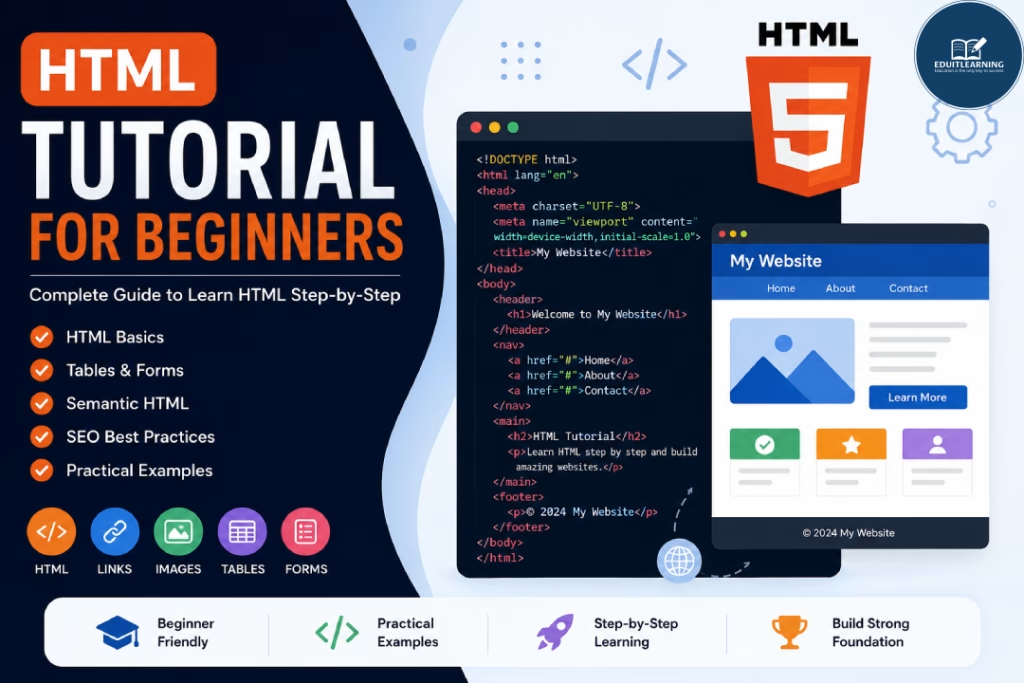
What is HTML?
HTML stands for HyperText Markup Language.
It is the standard markup language used to create webpages and web applications.
HTML tells the browser:
- What content should be displayed
- How content should be organized
- How different elements relate to each other
HTML is not a programming language.
Instead, it is a markup language that uses tags to structure content.
For example, when you create:
- Headings
- Paragraphs
- Images
- Tables
- Forms
you use HTML tags.
Because of this, HTML is considered the foundation of web development.
Why Learn HTML?
Many students ask:
“Sir, why is HTML important?”
The answer is simple.
Every website starts with HTML.
Without HTML:
- Webpages cannot be structured properly
- Content cannot be displayed correctly
- CSS and JavaScript cannot be applied effectively
Additionally, HTML is one of the easiest technologies for beginners.
As a result, students can quickly start creating webpages while learning important web development concepts.
HTML is required for:
- Frontend Development
- Web Design
- WordPress Development
- Landing Page Development
- Email Template Development
- Full Stack Development
Therefore, learning HTML is an investment that benefits every web developer.
Prerequisites Before Learning HTML
One advantage of HTML is that there are very few prerequisites.
You only need:
- A Computer
- A Web Browser
- A Code Editor
- A Willingness to Learn
Moreover, no prior programming experience is required.
Because of this, HTML is often recommended as the first technology for beginners.
HTML Complete Learning Roadmap
Many beginners try to jump directly into CSS or JavaScript.
However, understanding HTML first makes learning other technologies much easier.
Let’s go through the complete roadmap.
1. Introduction to HTML
This is where your HTML journey begins.
In this lesson, you will learn:
- What HTML is
- History of HTML
- Features of HTML
- Uses of HTML
- Importance of HTML
Additionally, you will understand how HTML became the foundation of modern websites.
2. Building Blocks of HTML
Every webpage is built using HTML elements.
Therefore, understanding elements is extremely important.
In this lesson, you will learn:
- Elements
- Tags
- Opening Tags
- Closing Tags
- Nested Elements
These concepts are used in every HTML document you create.
3. Structure of HTML
Every HTML document follows a standard structure.
For example, a webpage contains:
- DOCTYPE Declaration
- html Tag
- head Tag
- body Tag
Understanding this structure helps you write clean and professional code.
Moreover, it improves readability and maintainability.
4. Headings and Paragraphs in HTML
Content is one of the most important parts of a webpage.
Therefore, HTML provides headings and paragraphs to organize content properly.
In this lesson, you will learn:
- h1 Tag
- h2 Tag
- h3 Tag
- h4 Tag
- h5 Tag
- h6 Tag
- Paragraph Tag
Additionally, you will learn how proper heading hierarchy improves SEO.
5. Text Formatting Tags in HTML
Sometimes specific content needs emphasis.
HTML provides formatting tags for this purpose.
Examples include:
- Bold Text
- Italic Text
- Underlined Text
- Highlighted Text
- Superscript
- Subscript
As a result, content becomes easier to read and understand.
6. Lists in HTML
Lists help organize information clearly.
For example, course topics, features, and instructions are commonly displayed using lists.
In this lesson, you will learn:
- Ordered Lists
- Unordered Lists
- Description Lists
Additionally, you will learn when to use each type of list.
7. Links and Navigation in HTML
Links connect webpages together.
Without links, users would not be able to navigate between webpages.
In this lesson, you will learn:
- Anchor Tag
- Internal Links
- External Links
- Relative URLs
- Absolute URLs
- Email Links
Because of this topic, you will understand how websites are connected across the internet.
8. Images in HTML
Images improve the appearance and effectiveness of webpages.
Additionally, they help communicate information visually.
In this lesson, you will learn:
- img Tag
- src Attribute
- alt Attribute
- Width and Height Attributes
Moreover, you will learn image optimization techniques that improve website performance.
9. HTML Table
Tables are used to display structured information.
For example:
- Student Records
- Product Lists
- Employee Data
- Marksheets
In this lesson, you will learn:
- table Tag
- tr Tag
- th Tag
- td Tag
As a result, you will be able to organize data effectively.
10. Forms in HTML
Forms allow websites to collect information from users.
For example:
- Login Forms
- Registration Forms
- Contact Forms
- Feedback Forms
In this lesson, you will learn:
- form Tag
- Action Attribute
- Method Attribute
- Form Structure
Forms are essential for modern web applications.
11. Input Tag in HTML
The Input Tag is one of the most frequently used HTML elements.
It allows users to enter information.
Examples include:
- Name
- Password
- Mobile Number
Additionally, you will learn different types of input fields available in HTML.
12. Attributes of Input Tag
Attributes control the behavior of input fields.
For example:
- placeholder
- required
- readonly
- disabled
- maxlength
- minlength
Because of these attributes, forms become more user-friendly and efficient.
13. Form Grouping Elements
Large forms often require better organization.
Therefore, HTML provides grouping elements.
In this lesson, you will learn:
- fieldset Tag
- legend Tag
These elements help create professional and well-structured forms.
14. HTML Form Components
Modern forms contain various components.
Examples include:
- Radio Buttons
- Checkboxes
- Dropdown Menus
- Textareas
- Buttons
Additionally, you will learn how these components improve user interaction.
15. Semantic and Non-Semantic Tags
Modern HTML encourages the use of semantic tags.
Semantic tags clearly describe their purpose.
Examples:
- header
- nav
- section
- article
- aside
- footer
On the other hand, non-semantic tags include:
- div
- span
Semantic HTML improves:
- Accessibility
- SEO
- Readability
- Website Structure
Therefore, semantic tags are heavily used in professional projects.
16. HTML SEO Elements
Creating a webpage is only one part of web development.
Additionally, search engines must understand your webpage.
In this lesson, you will learn:
- Title Tag
- Meta Description
- Meta Keywords
- Canonical Tag
- Heading Structure
- Image Alt Attributes
As a result, your webpages become more search-engine friendly.
What Should You Learn After HTML?
Once you complete HTML, the next step is learning CSS.
After CSS, you should move toward:
- JavaScript
- DOM Manipulation
- Responsive Web Design
- React.js
- Node.js
- Express.js
- MongoDB
As a result, you will gradually move toward full stack development.
Career Opportunities After Learning HTML
HTML is the starting point for many careers.
For example:
- Web Developer
- Frontend Developer
- WordPress Developer
- UI Developer
- Full Stack Developer
Therefore, mastering HTML creates a strong foundation for future growth.