
Operators in JavaScript
Operators are special symbols used to perform operations on values (operands).
They are used to calculate values, compare data, assign values, and make decisions in programs.
Arithmetic Operators
Arithmetic operators are used to perform mathematical calculations.
| Operator | Meaning | Example | Result |
| + | Addition | 10 + 5 | 15 |
| – | Subtraction | 10 – 5 | 5 |
| * | Multiplication | 10 * 5 | 50 |
| / | Division | 10 / 5 | 2 |
| % | Modulus (remainder) | 10 % 3 | 1 |
| ** | Exponent (power) | 2 ** 3 | 8 |
| ++ | Increment | x++ | increases by 1 |
| — | Decrement | x– | decreases by 1 |
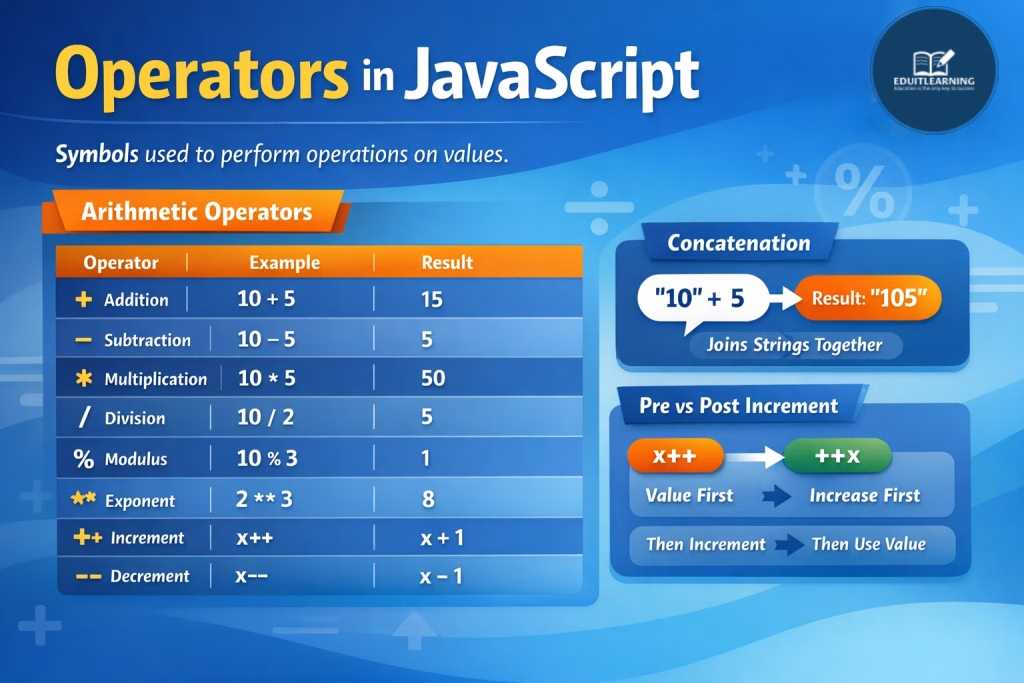
+ (Addition)
This operator is used to add values, but in JavaScript it also works as a string join (concatenation) operator.
console.log(10 + 5);        // 15
console.log("10" + 5);      // "105"
console.log("Hello " + "JS"); // "Hello JS"
If any one value is a string, JavaScript converts the other value into a string and joins them.
console.log(true + 1);   // 2
console.log(null + 5);   // 5
console.log(undefined + 5); // NaN
This makes + the most tricky arithmetic operator because it behaves differently from others.
– (Subtraction)
This operator subtracts one value from another and always treats values as numbers.
console.log(10 - 5);     // 5
console.log("10" - 2);   // 8
console.log(true - 1);   // 0
Even if values are strings, JavaScript converts them into numbers before subtraction.
console.log("abc" - 2); // NaNUnlike +, it never performs string joining.
* (Multiplication)
This operator multiplies values and always converts them into numbers.
console.log(10 * 5);     // 50
console.log("10" * 2);   // 20
console.log(true * 5);   // 5
If conversion fails, the result becomes NaN.
console.log("abc" * 2); // NaN/ (Division)
This operator divides one value by another.
console.log(10 / 5); // 2
console.log(10 / 3); // 3.3333
JavaScript allows division by zero, which gives special values:
console.log(10 / 0); // Infinity
console.log(0 / 0);  // NaN
% (Modulus)
This operator returns the remainder after division.
console.log(10 % 3); // 1It is commonly used for logic like checking even or odd numbers.
console.log(4 % 2); // 0 (even)
console.log(5 % 2); // 1 (odd)
** (Exponent / Power)
This operator raises a number to the power of another number.
console.log(2 ** 3); // 8
console.log(5 ** 2); // 25
It is equivalent to:
Math.pow(2, 3);++ (Increment)
This operator increases a value by 1. It has two forms and they behave differently.
let x = 5;
console.log(x++); // 5 (use first, then increase)
console.log(x);   // 6
console.log(++x); // 7 (increase first, then use)
So:
- x++ → post-increment
- ++x → pre-increment
— (Decrement)
This operator decreases a value by 1 and also has two forms.
let x = 5;
console.log(x--); // 5
console.log(x);   // 4
console.log(--x); // 3
So:
- x– → post-decrement
- –x → pre-decrement
Pre vs Post Increment / Decrement (Important Concept)
This is where most confusion happens.
Post-Increment (x++)
- First → value is used
- Then → increment happens
let x = 5;
let y = x++;
console.log(y); // 5
console.log(x); // 6
Here:
- y gets old value
- x updates after
Pre-Increment (++x)
- First → increment happens
- Then → value is used
let x = 5;
let y = ++x;
console.log(y); // 6
console.log(x); // 6
Simple Rule:
- Post (x++, x–) → Use first, then change
- Pre (++x, –x) → Change first, then use