
Conditional Statements in JavaScript
When you start learning JavaScript, writing simple statements is easy. But real programming begins when your code can make decisions based on conditions.
Control statements allow your program to decide:
- Which code should run
- Which code should be skipped
- How the flow of execution should behave
This concept is very important because every real-world application uses decision-making logic.
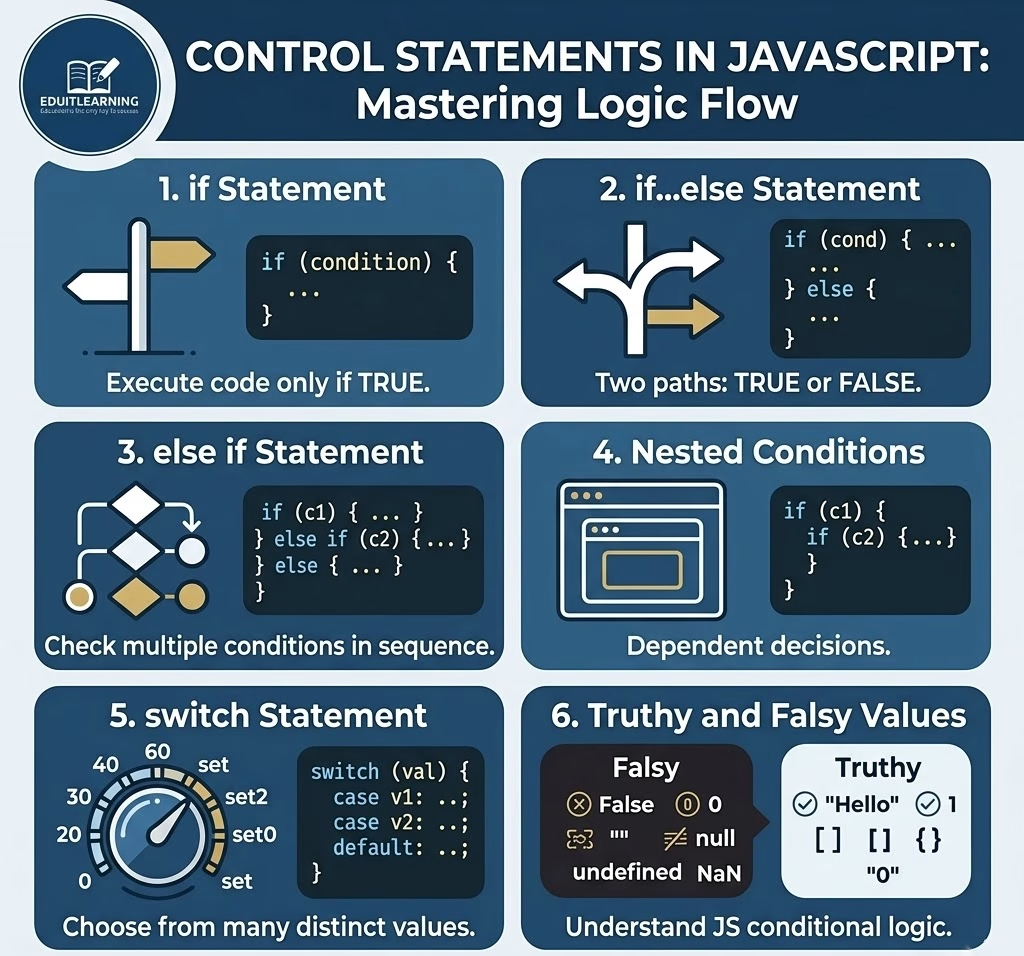
What Are Conditional Statements?
Conditional statements are used to control the flow of execution in a program.
In simple terms, they help your program think like this:
- If something is true → do this
- Otherwise → do something else
1. if Statement
The if statement is the most basic control statement. It is used when you want to execute a block of code only when a condition is true.
Syntax:
if (condition) {
    // code to execute
}
Example:
let marks = 60;
if (marks >= 50) {
    console.log("You passed the exam");
}
Explanation:
- The condition marks >= 50 is checked
- If it is true, the code inside the block runs
- If it is false, nothing happens
2. if…else Statement
The if…else statement is used when you want to handle both cases:
- When the condition is true
- When the condition is false
Syntax:
if (condition) {
    // code if true
} else {
    // code if false
}
Example:
let age = 15;
if (age >= 18) {
    console.log("You are eligible to vote");
} else {
    console.log("You are not eligible to vote");
}
Explanation:
- If the condition is true → first block runs
- If the condition is false → else block runs
- Only one block executes at a time
3. else if Statement
When you need to check multiple conditions, you use else if.
Syntax:
if (condition1) {
    // code
} else if (condition2) {
    // code
} else if (condition3) {
    // code
} else {
    // default code
}
Example:
let marks = 82;

if (marks >= 90) {
    console.log("Grade A+");
} else if (marks >= 75) {
    console.log("Grade A");
} else if (marks >= 50) {
    console.log("Grade B");
} else {
    console.log("Fail");
}
Explanation:
- Conditions are checked from top to bottom
- As soon as one condition becomes true, that block executes
- Remaining conditions are skipped
4. Nested Conditions
Nested conditions mean placing one if statement inside another if statement.
This is useful when one condition depends on another.
Example:
let age = 20;
let hasID = true;

if (age >= 18) {
    if (hasID) {
        console.log("Entry allowed");
    } else {
        console.log("ID is required");
    }
} else {
    console.log("Entry not allowed");
}
Explanation:
- First condition checks age
- If true, then second condition checks ID
- If first condition is false, inner condition is never executed
Nested conditions are useful in applications like:
- Login systems
- Payment verification
- User authentication
5. switch Statement
The switch statement is used when you have multiple conditions based on a single value.
It is often cleaner than writing many else if statements.
Syntax:
switch (value) {
    case value1:
        // code
        break;
    case value2:
        // code
        break;
    default:
        // default code
}
Example:
let day = 4;

switch (day) {
    case 1:
        console.log("Monday");
        break;

    case 2:
        console.log("Tuesday");
        break;

    case 3:
        console.log("Wednesday");
        break;

    case 4:
        console.log("Thursday");
        break;

    default:
        console.log("Invalid day");
}
Explanation:
- The value of day is compared with each case
- When a match is found, that block executes
- break stops further execution
- If no case matches, the default block runs
6. Truthy and Falsy Values in JavaScript
In JavaScript, conditions do not always use only true or false.
Some values are automatically treated as:
- Truthy (true-like)
- Falsy (false-like)
Falsy Values
These values are always treated as false:
- False
- 0
- “”
- Null
- Undefined
- NaN
Example:
let data = "";

if (data) {
    console.log("Data exists");
} else {
    console.log("No data found");
}
Explanation:
- Empty string “” is falsy
- So the else block executes
Truthy Values
All other values are considered truthy:
- “Hello”
- 1
- -10
- []
- {}
- “0”
Example:
let username = "Ritik";

if (username) {
    console.log("User is logged in");
}
Explanation:
- Non-empty string is truthy
- So the condition becomes true
Why Truthy and Falsy Are Important?
In real applications, we often check values directly:
if (userEmail) {
    console.log("Email exists");
}
Instead of writing:
if (userEmail === true)This makes code simpler and more readable.
Example:
let userLoggedIn = true;
let isPremiumUser = false;

if (userLoggedIn) {
    if (isPremiumUser) {
        console.log("Access all features");
    } else {
        console.log("Limited access");
    }
} else {
    console.log("Please login first");
}
Conclusion
Control statements are one of the most important parts of JavaScript.
They help you:
- Build logic
- Make decisions
- Create real applications
You should clearly understand:
- if, else, else if
- Nested conditions
- switch statement
- Truthy and falsy values
Without these concepts, programming is incomplete.