
Primitive Data Types
JavaScript data types define what kind of value a variable holds.
JavaScript has primitive and non-primitive data types.
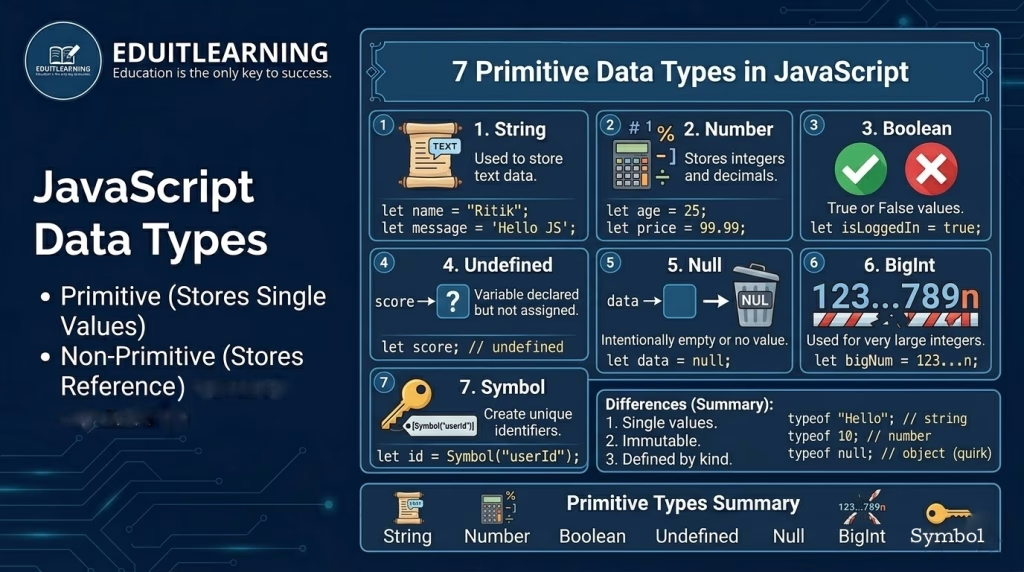
Primitive Data Types in JavaScript
Primitive data types store single, simple values.
1. String
Used to store text data.
Example:
let name = "Ritik";
let message = 'Hello JavaScript';- Strings can use single (‘ ‘) or double (” “) quotes
2. Number
Used to store numbers, including integers and decimals.
Example:
let age = 25;
let price = 99.99;
JavaScript does not have separate int or float types.
3. Boolean
Used to store true or false values.
Example:
let isLoggedIn = true;
let hasPermission = false;
Booleans are commonly used in conditions.
4. Undefined
A variable that is declared but not assigned any value is undefined.
Example:
let score;
console.log(score); // undefined
5. Null
null means no value or empty value, intentionally set by the programmer.
Example:
let data = null;Difference:
- undefined → value not assigned
- null → value intentionally empty
6. BigInt
Used to store very large integers that exceed the safe limit of number.
Example:
let bigNumber = 12345678901234567890n;- Ends with n
- Used in finance, cryptography, large calculations
7. Symbol
Used to create unique identifiers.
Example:
let id = Symbol("userId");- Each Symbol is unique
- Used in advanced JavaScript scenarios
Checking Data Type Using typeof
You can check the type of a variable using typeof.
Example:
typeof "Hello";    // string
typeof 10;         // number
typeof true;       // boolean
typeof undefined;  // undefined
typeof null;       // object (JavaScript quirk)