
JavaScript String Character Methods
In the previous blogs, we learned how to search, extract, and modify strings. However, there are situations where we need to work with individual characters inside a string.
For example, we may need to:
- Get the first character of a user’s name
- Get the last character of a word
- Find the Unicode value of a character
- Work with special Unicode characters and emojis
For such tasks, JavaScript provides String Character Methods.
These methods help us access characters and retrieve their Unicode values efficiently.
In this article, we will learn the most important JavaScript String Character Methods with syntax, parameters, examples, outputs, and practical use cases.
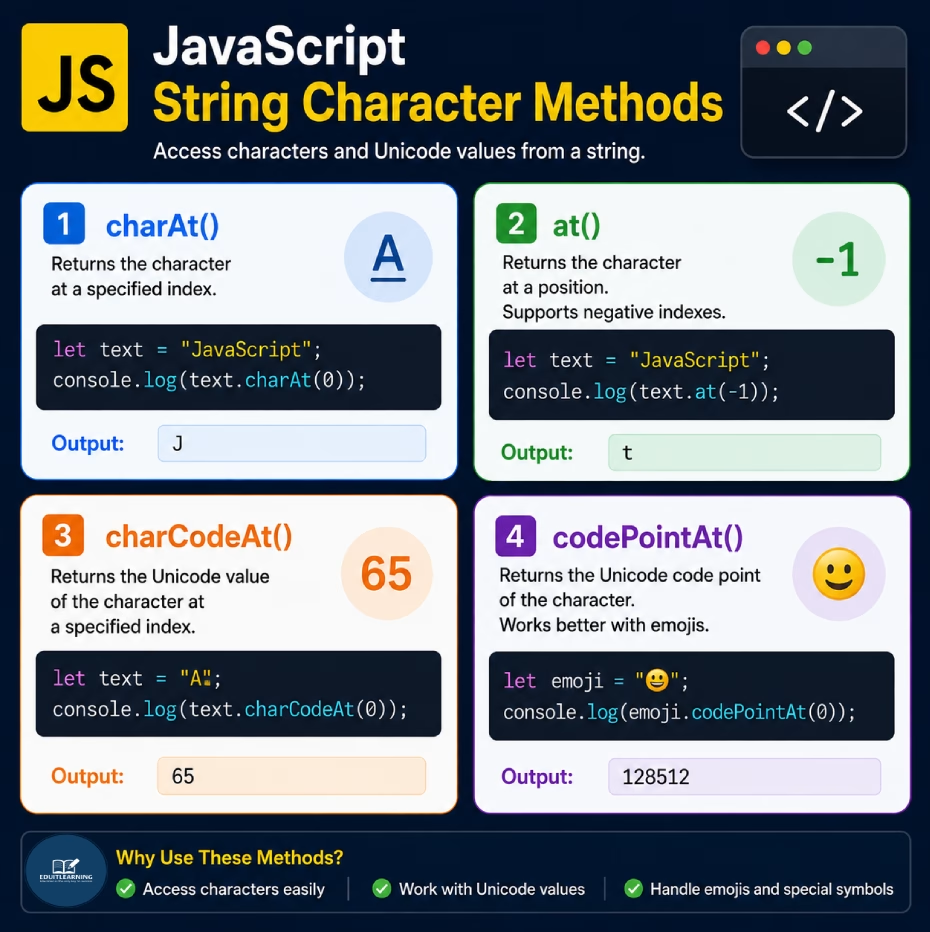
charAt()
The charAt() method returns the character present at a specified index position.
Every character in a string has an index, and indexing starts from 0.
Syntax
string.charAt(index)Example
let text = "JavaScript";
console.log(text.charAt(0));Output
J
The character at index position 0 is J.
Example
let text = "JavaScript";
console.log(text.charAt(4));
Output
S
The character at index position 4 is S.
at()
The at() method returns the character at a specified position. It works similarly to charAt(), but it also supports negative indexes.
Because of this, it becomes easier to access characters from the end of a string.
Syntax
string.at(index)Example
let text = "JavaScript";
console.log(text.at(0));Output
J
Example
let text = "JavaScript";
console.log(text.at(-1));
Output
t
The value -1 refers to the last character of the string.
Example
let text = "JavaScript";
console.log(text.at(-2));
Output
p
The value -2 refers to the second-last character.
Difference Between charAt() and at()
| Feature | charAt() | at() |
| Returns Character | Yes | Yes |
| Supports Positive Indexes | Yes | Yes |
| Supports Negative Indexes | No | Yes |
| Modern Method | No | Yes |
| Recommended | Good | Better |
Example
let text = "JavaScript";
console.log(text.charAt(9));
console.log(text.at(-1));
Output
t
t
The difference is that at() can access characters from the end using negative values.
charCodeAt()
The charCodeAt() method returns the Unicode value of a character at a specified position.
Computers store characters as numbers. These numbers are called Unicode values.
Syntax
string.charCodeAt(index)Example
let text = "A";
console.log(text.charCodeAt(0));Output
65
The Unicode value of A is 65.
Example
let text = "a";
console.log(text.charCodeAt(0));
Output
97
Uppercase and lowercase letters have different Unicode values.
Example
let text = "R";
console.log(text.charCodeAt(0));
Output
82
codePointAt()
The codePointAt() method returns the Unicode code point of a character.
It is similar to charCodeAt(), but it works better with modern Unicode characters and emojis.
Syntax
string.codePointAt(index)Example
let text = "A";
console.log(text.codePointAt(0));Output
65
Example
let text = "R";
console.log(text.codePointAt(0));
Output
82
Emoji Example
let emoji = "😀";
console.log(emoji.codePointAt(0));
Output
128512
The emoji is represented internally by the Unicode code point 128512.
Difference Between charCodeAt() and codePointAt()
| Feature | charCodeAt() | codePointAt() |
| Returns Unicode Value | Yes | Yes |
| Supports Basic Characters | Yes | Yes |
| Supports Emojis Properly | No | Yes |
| Supports Modern Unicode Characters | Limited | Yes |
| Recommended for Unicode Handling | No | Yes |
Example
let emoji = "😀";
console.log(emoji.charCodeAt(0));
console.log(emoji.codePointAt(0));
Output
55357
128512
For normal characters, both methods often return similar values.
However, for emojis and advanced Unicode characters, codePointAt() provides more accurate results.
Summary
JavaScript provides several methods for working with individual characters in a string.
These methods are commonly used when processing text, extracting initials, validating characters, working with Unicode values, and handling emojis.