
Arrays in JavaScript
Arrays are one of the most important data types in JavaScript. They allow you to store multiple values inside a single variable. Instead of creating many separate variables, you can keep related data together in one place.
For example, if you want to store the names of five students, creating five different variables is not a good approach. An array lets you store all the names inside a single variable.
Why Use Arrays?
Without arrays, storing multiple values becomes difficult.
Instead of writing:
let student1 = "Rahul";
let student2 = "Aman";
let student3 = "Priya";
You can simply write:
let students = ["Rahul", "Aman", "Priya"];Therefore, arrays make your code cleaner, shorter, and easier to manage.
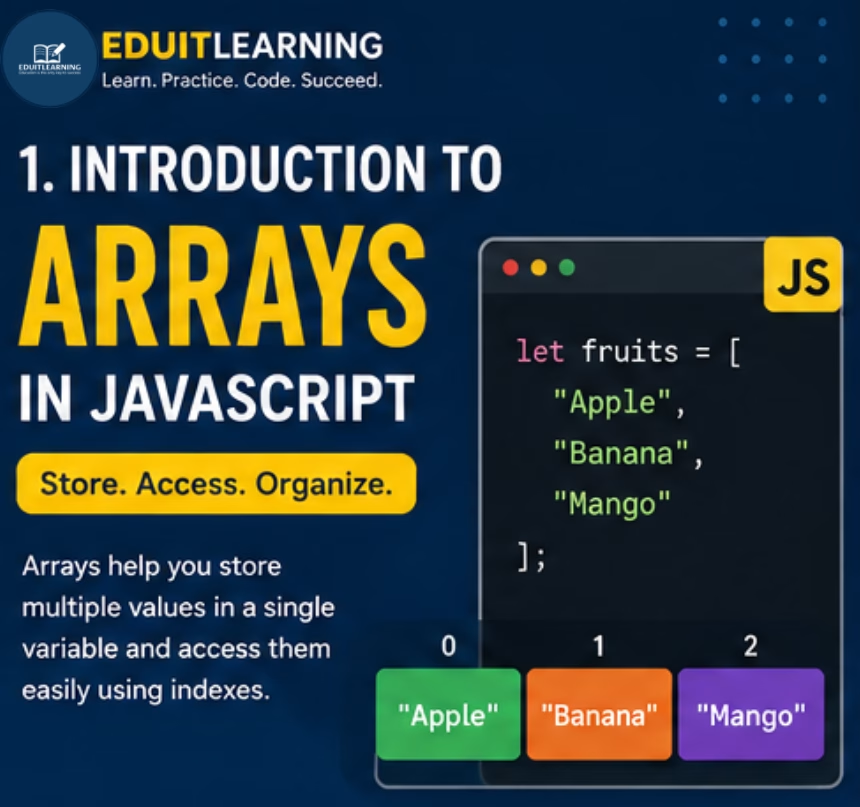
What is an Array?
An array is a special JavaScript object that stores multiple values in a single variable.
Each value inside an array is called an element.
Example:
let fruits = ["Apple", "Banana", "Mango"];Here,
- Apple is an element.
- Banana is an element.
- Mango is an element.
The variable fruits contains all three values.
Array Syntax
let arrayName = [value1, value2, value3];- let → Declares the variable.
- arrayName → Name of the array.
- [ ] → Square brackets indicate an array.
- value1, value2… → Elements stored inside the array.
- Comma (,) → Separates each element.
Creating an Array
There are two common ways to create an array.
Method 1: Using Square Brackets (Recommended)
let fruits = ["Apple", "Banana", "Mango"];This is the most common and recommended method.
Method 2: Using the Array Constructor
let fruits = new Array("Apple", "Banana", "Mango");This also creates an array.
However, using square brackets is simpler and is preferred in most JavaScript programs.
Array Elements
Each item stored inside an array is known as an element.
Example:
let colors = ["Red", "Green", "Blue"];Elements are:
- Red
- Green
- Blue
Array Index
Every element in an array has an index number.
JavaScript starts counting from 0, not 1.
Example:
let fruits = ["Apple", "Banana", "Mango"];| Index | Value |
| 0 | Apple |
| 1 | Banana |
| 2 | Mango |
Therefore,
- Apple is at index 0
- Banana is at index 1
- Mango is at index 2
Accessing Array Elements
You can access an element using its index.
Syntax
arrayName[index]
Example
let fruits = ["Apple", "Banana", "Mango"];
console.log(fruits[0]);
console.log(fruits[1]);
console.log(fruits[2]);
Output
Apple
Banana
Mango
Changing an Array Element
You can change any element by using its index.
Example:
let fruits = ["Apple", "Banana", "Mango"];
fruits[1] = "Orange";
console.log(fruits);
Output
[“Apple”, “Orange”, “Mango”]
The value at index 1 changed from Banana to Orange.
Arrays Can Store Different Data Types
JavaScript arrays can store values of different data types.
Example:
let data = [
    "John",
    25,
    true,
    89.5
];
Here the array contains:
- String
- Number
- Boolean
- Decimal Number
Although JavaScript allows mixed data types, storing similar types together makes the code easier to understand.
Array with Variables
Arrays can also store variables.
let city1 = "Delhi";
let city2 = "Mumbai";
let cities = [city1, city2];
console.log(cities);
Output
[“Delhi”, “Mumbai”]
Array Length
The length property returns the total number of elements in an array.
Syntax
arrayName.length
Example
let fruits = ["Apple", "Banana", "Mango"];
console.log(fruits.length);
Output
3
Because there are three elements, the length is 3.
Last Element of an Array
The last element can be accessed using the length property.
let fruits = ["Apple", "Banana", "Mango"];
console.log(fruits[fruits.length - 1]);
Output
Mango
Since fruits.length is 3, the last index is 2.
Empty Array
You can create an empty array and add values later.
let students = [];This array currently contains no elements.
Nested Arrays
An array can contain another array.
Example:
let numbers = [
    [10, 20],
    [30, 40]
];
console.log(numbers[0]);
console.log(numbers[1]);
Output
[10, 20]
[30, 40]
Nested arrays are useful when working with tables, matrices, or grouped data.