
JavaScript String Conversion Methods
While working with JavaScript, there are situations where we need to convert values into strings, retrieve primitive string values, or standardize Unicode characters.
For example:
- Converting numbers into strings
- Converting String objects into primitive strings
- Comparing Unicode characters correctly
- Processing text from different languages
For such tasks, JavaScript provides String Conversion Methods.
These methods help us convert and normalize string data efficiently.
In this article, we will learn the most important JavaScript String Conversion Methods with syntax, parameters, examples, outputs, and practical use cases.
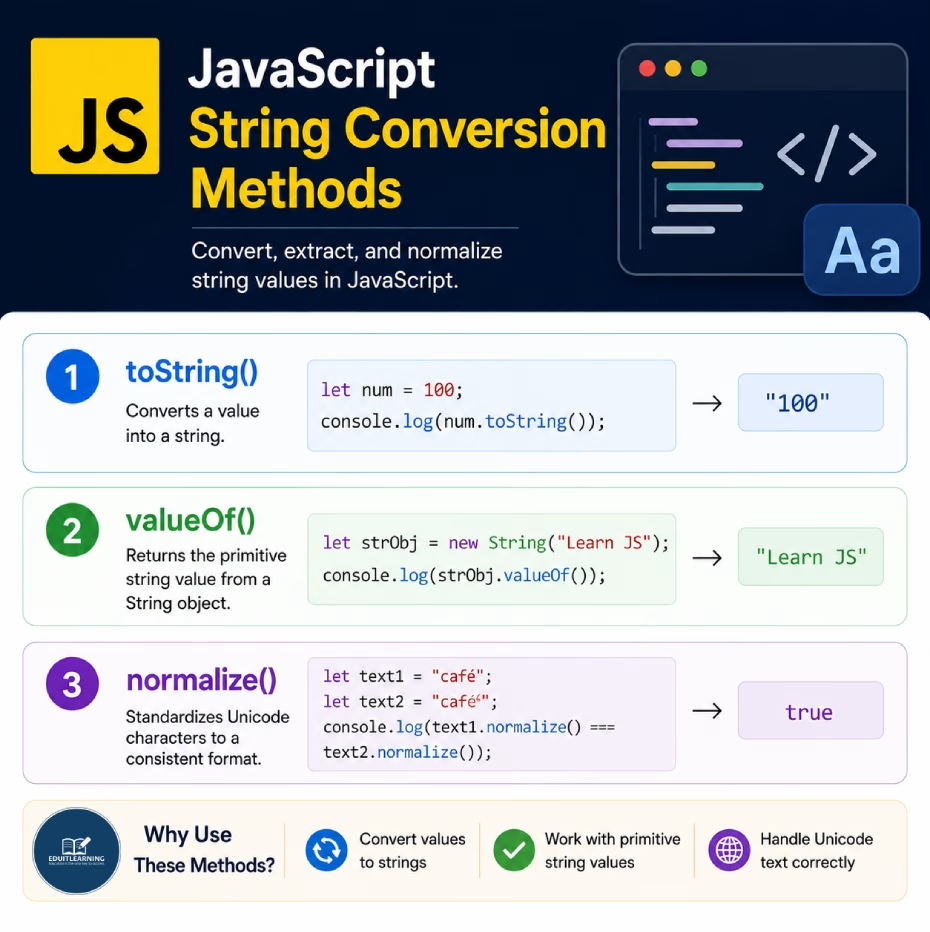
toString()
The toString() method converts a value into a string.
This method is commonly used when we need to convert numbers, booleans, or other data types into string format.
Syntax
value.toString()This method does not require any parameters.
Example
let num = 100;
console.log(num.toString());Output
100
Example
let price = 999;
console.log(typeof price);
console.log(typeof price.toString());
Output
number
string
Initially, price is a number. After using toString(), it becomes a string.
valueOf()
The valueOf() method returns the primitive value of a String object.
Normally, we work with primitive strings. However, JavaScript also allows creating String objects using the new String() constructor.
The valueOf() method extracts the actual string value from that object.
Syntax
stringObject.valueOf()This method does not require any parameters.
Example
let text = new String("JavaScript");
console.log(text.valueOf());Output
JavaScript
Example
let text = new String("EDUITLEARNING");
console.log(typeof text);
console.log(typeof text.valueOf());
Output
object
string
The String object is converted into its primitive string value.
normalize()
The normalize() method standardizes Unicode characters.
Sometimes two characters may look identical but have different Unicode representations internally.
The normalize() method converts them into a consistent format.
Syntax
string.normalize()This method does not require any parameters.
Example
let text = "café";
console.log(text.normalize());Output
café
Why is normalize() Needed?
Unicode characters can sometimes be stored in different ways.
Without normalization, two visually identical strings may not be treated as equal.
Example
let text1 = "café";
let text2 = "café";
console.log(text1 === text2);
Output
False
Using normalize()
let text1 = "café";
let text2 = "café";
console.log(
  text1.normalize() === text2.normalize()
);
Output
true
Both strings are converted into the same Unicode format before comparison.
Difference Between toString() and valueOf()
| Feature | toString() | valueOf() |
| Purpose | Converts a value into a string | Returns primitive string value |
| Works With | Numbers, Booleans, Arrays, Objects, Strings | String Objects |
| Return Type | String | Primitive String |
| Common Usage | Very Common | Rare |
Summary
JavaScript provides several methods for converting and standardizing string data.
These methods are commonly used when converting values into strings, retrieving primitive string values, and handling Unicode text correctly.