
JavaScript Strings
Strings are one of the most commonly used data types in JavaScript. Whenever you work with names, emails, passwords, messages, addresses, product descriptions, or any text data, you are working with strings.
In real-world applications, strings are everywhere. Whether you are displaying a user’s name on a website, validating form input, searching data, or formatting text, understanding strings is essential.
In this article, we will learn everything about JavaScript Strings from the beginning with practical examples and outputs.
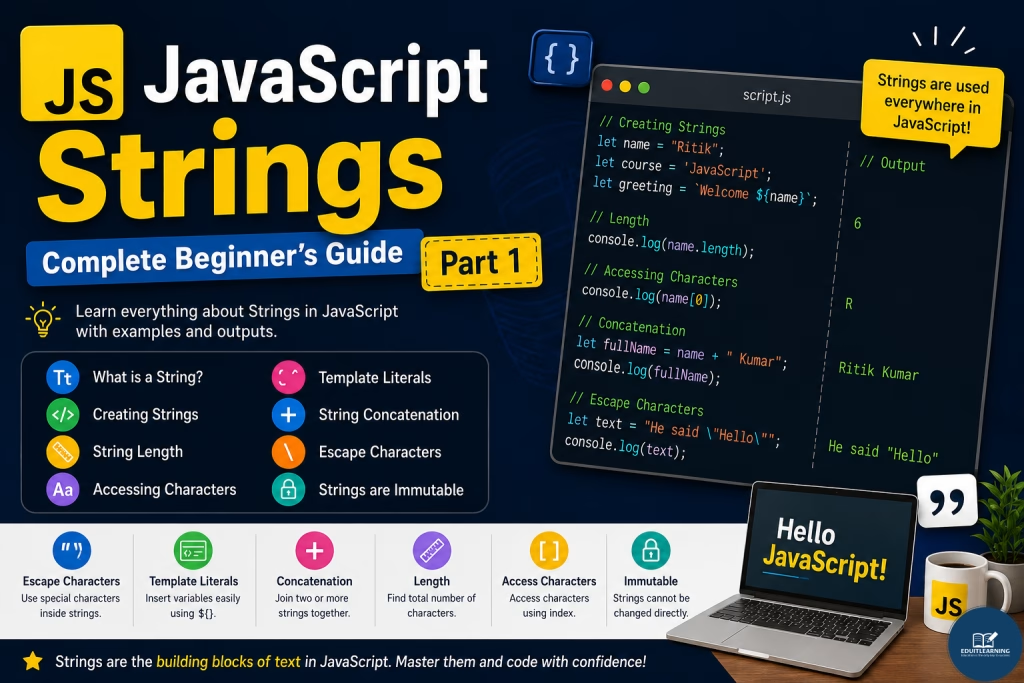
What is a String?
A String is a collection of characters enclosed inside quotes.
A string can contain:
- Letters
- Numbers
- Symbols
- Spaces
Example
let course = "JavaScript";Here, “JavaScript” is a string.
String Examples
let name = "Ritik";
let city = "Delhi";
let email = "ritik@gmail.com";
All of these are strings because they contain text values.
Creating Strings
JavaScript provides three ways to create strings.
Using Double Quotes
let course = "JavaScript";
console.log(course);
Output
JavaScript
Using Single Quotes
let course = 'JavaScript';
console.log(course);
Output
JavaScript
Using Backticks
let course = `JavaScript`;
console.log(course);
Output
JavaScript
All three methods create strings.
String Length Property
The length property returns the total number of characters present in a string.
Example
let text = "JavaScript";
console.log(text.length);
Output
10
Total characters = 10
Spaces Are Also Counted
let text = "Hello World";
console.log(text.length);
Output
11
The space between Hello and World is also counted as a character.
Accessing String Characters
Every character inside a string has an index position.
Indexes start from 0.
Example:
JavaScript
J a v a S c r i p t
0 1 2 3 4 5 6 7 8 9
Accessing Characters Using Index
let text = "JavaScript";
console.log(text[0]);
Output
J
let text = "JavaScript";
console.log(text[4]);
Output
S
Accessing Last Character
let text = "JavaScript";
console.log(text[text.length - 1]);
Output
t
Template Literals
Template Literals were introduced in ES6.
They use backticks ( ` ) and allow write JS Code/Expressions/Variables to be inserted directly inside strings.
Traditional Method
let name = "Ritik";
console.log("Welcome " + name);
Output
Welcome Ritik
Template Literal Method
let name = "Ritik";
console.log(`Welcome ${name}`);
Output
Welcome Ritik
The ${} syntax allows variables to be inserted directly.
Multiple Variables
let name = "Ritik";
let course = "JavaScript";
console.log(`${name} is learning ${course}`);
Output
Ritik is learning JavaScript
String Concatenation
Concatenation means joining two or more strings together.
Using + Operator
let firstName = "Ritik";
let lastName = "Kumar";
let fullName = firstName + " " + lastName;
console.log(fullName);
Output
Ritik Kumar
Concatenating Multiple Strings
let city = "Delhi";
let country = "India";
console.log(city + ", " + country);
Output
Delhi, India
Using concat() Method
let firstName = "Ritik";
let lastName = "Kumar";
console.log(firstName.concat(" ", lastName));
Output
Ritik Kumar
Escape Characters
Sometimes we need to use special characters inside a string. For example, we may want to add quotation marks, create a new line, insert tab spaces, or display a backslash. In such situations, JavaScript provides Escape Characters.
An Escape Character always starts with a backslash (\). The backslash tells JavaScript that the character immediately following it has a special meaning and should be treated differently from normal text.
By combining a backslash with specific characters, we can perform special tasks inside a string without causing syntax errors.
Double Quotes Inside String
let text = "He said \"Hello\"";
console.log(text);
Output
He said “Hello”
In this example, the string is already enclosed inside double quotes (“).
If we try to use another double quote inside the same string, JavaScript will think the string ends there and will generate a syntax error.
To include double quotes inside a string, we use the escape character (\) before the quote.
Single Quote Inside String
let text = 'It\'s JavaScript';
console.log(text);
Output
It’s JavaScript
New Line Character
let text = "Hello\nWorld";
console.log(text);
Output
Hello
World
Tab Space
let text = "Name\tAge";
console.log(text);
Output
Name Age
Backslash Character
let path = "C:\\Users\\Admin";
console.log(path);
Output
C:\Users\Admin
Strings Are Immutable
Immutable means a string cannot be changed directly after creation.
Example
let text = "JavaScript";
text[0] = "j";
console.log(text);
Output
JavaScript
The string remains unchanged.
JavaScript does not allow modifying individual characters directly.
Example
let firstName = "Ritik";
let lastName = "Kumar";
let fullName = `${firstName} ${lastName}`;
console.log(fullName);
console.log(fullName.length);
Output
Ritik Kumar
11
Most Important Questions
1. What is a String in JavaScript?
A String is a sequence of characters enclosed inside single quotes (‘ ‘), double quotes (” “), or backticks (` `).
Example:
let course = "JavaScript";2. How can you create a String in JavaScript?
Strings can be created using:
- Single Quotes (‘ ‘)
- Double Quotes (” “)
- Backticks (` `)
Example:
let a = "JavaScript";
let b = 'JavaScript';
let c = `JavaScript`;
3. What is the difference between a String and a Number?
A String stores text data, while a Number stores numeric values.
Example:
let age = 25;      // Number
let ageText = "25"; // String
4. How do you find the length of a String?
The length property returns the total number of characters in a string.
Example:
let text = "JavaScript";
console.log(text.length);
Output:
10
5. How do you access a specific character in a String?
You can access characters using their index position.
Example:
let text = "JavaScript";
console.log(text[0]);
Output:
J
6. What are Template Literals?
Template Literals allow us to insert variables directly inside a string using ${} and backticks.
Example:
let name = "Ritik";
console.log(`Welcome ${name}`);
Output:
Welcome Ritik
7. What is String Concatenation?
String Concatenation means joining two or more strings together.
Example:
let firstName = "Ritik";
let lastName = "Kumar";
console.log(firstName + " " + lastName);
Output:
Ritik Kumar
8. What are Escape Characters in JavaScript?
Escape Characters allow us to use special characters inside a string. They start with a backslash (\).
Example:
let text = "He said \"Hello\"";
console.log(text);
Output:
He said “Hello”
9. Are Strings Mutable in JavaScript?
No, Strings are immutable. Once a string is created, its characters cannot be changed directly.
Example:
let text = "JavaScript";
text[0] = "j";
console.log(text
Output:
JavaScript
10. What is the difference between String Concatenation and Template Literals?
Concatenation uses the + operator to join strings, while Template Literals use backticks and ${} placeholders.
Concatenation Example:
let name = "Ritik";
console.log("Welcome " + name);
Template Literal Example:
let name = "Ritik";
console.log(`Welcome ${name}`);
Output (Both):
Welcome Ritik