
JavaScript String Case Conversion Methods
While working with strings, there are many situations where we need to convert text into uppercase or lowercase letters.
For example:
- Converting usernames to lowercase before storing them in a database
- Displaying headings in uppercase
- Performing case-insensitive searches
- Formatting user input
For such tasks, JavaScript provides String Case Conversion Methods.
These methods return a new string with the converted case while keeping the original string unchanged.
In this article, we will learn all important JavaScript String Case Conversion Methods with syntax, parameters, examples, outputs, and practical use cases.
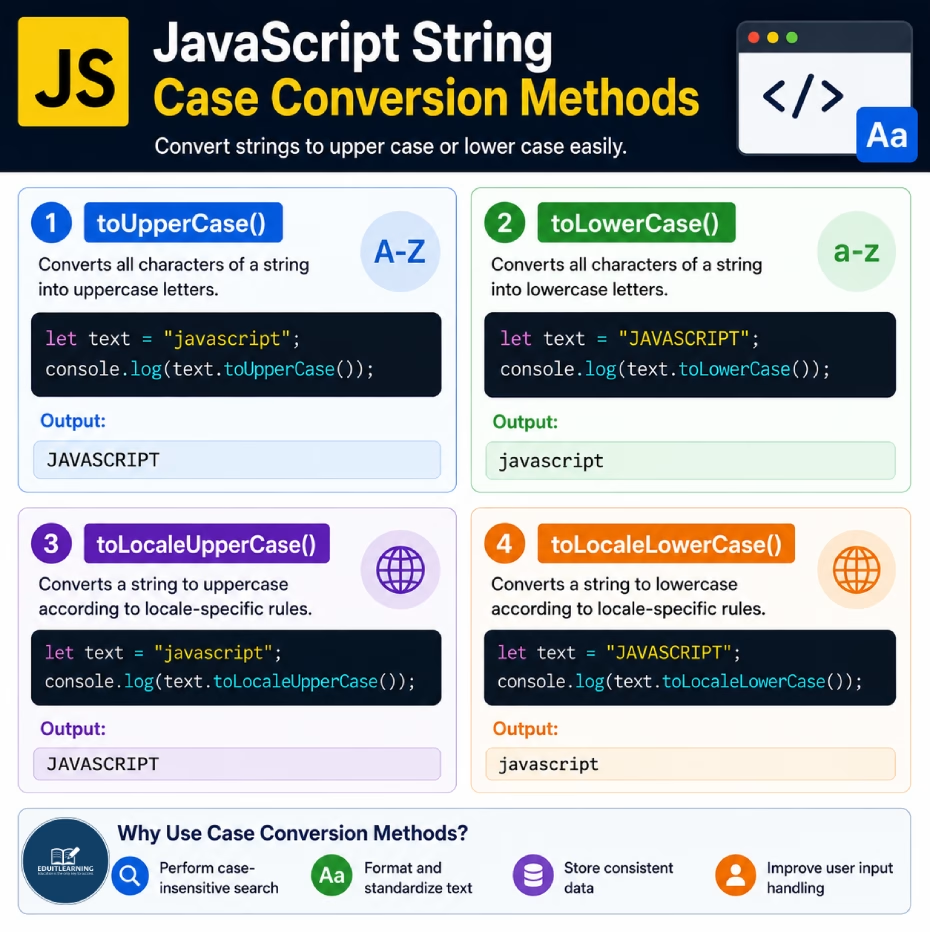
toUpperCase()
The toUpperCase() method converts all characters of a string into uppercase letters.
Syntax
string.toUpperCase()This method does not require any parameters.
Example
let text = "javascript";
console.log(text.toUpperCase());Output
JAVASCRIPT
All lowercase letters are converted into uppercase letters.
Example
let text = "Welcome To EDUITLEARNING";
console.log(text.toUpperCase());
Output
WELCOME TO EDUITLEARNING
toLowerCase()
The toLowerCase() method converts all characters of a string into lowercase letters.
Syntax
string.toLowerCase()This method does not require any parameters.
Example
let text = "JAVASCRIPT";
console.log(text.toLowerCase());Output
javascript
Example
let email = "RITIK@GMAIL.COM";
console.log(email.toLowerCase());
Output
ritik@gmail.com
All uppercase letters are converted into lowercase letters.
toLocaleUpperCase()
The toLocaleUpperCase() method converts a string to uppercase according to locale-specific language rules.
For most English text, the output is usually similar to toUpperCase().
Syntax
string.toLocaleUpperCase()This method does not require any parameters.
Example
let text = "javascript";
console.log(text.toLocaleUpperCase());Output
JAVASCRIPT
The string is converted to uppercase while considering locale-specific language rules.
toLocaleLowerCase()
The toLocaleLowerCase() method converts a string to lowercase according to locale-specific language rules.
Syntax
string.toLocaleLowerCase()This method does not require any parameters.
Example
let text = "JAVASCRIPT";
console.log(text.toLocaleLowerCase());Output
javascript
The string is converted to lowercase while considering locale-specific language rules.
Difference Between toUpperCase() and toLowerCase()
| Feature | toUpperCase() | toLowerCase() |
| Purpose | Converts text to uppercase | Converts text to lowercase |
| Parameters | None | None |
| Original String Modified | No | No |
| Returns New String | Yes | Yes |
Example
let text = "JavaScript";

console.log(text.toUpperCase());
console.log(text.toLowerCase());
Output
JAVASCRIPT
javascript
Difference Between Normal and Locale Methods
| Feature | Normal Methods | Locale Methods |
| Methods | toUpperCase(), toLowerCase() | toLocaleUpperCase(), toLocaleLowerCase() |
| Locale Aware | No | Yes |
| English Text | Same Result | Same Result |
| Other Languages | Limited | Better Support |
Case-Insensitive Search
let course = "JavaScript";
console.log(course.toLowerCase() === "javascript");Output
true
Both values become lowercase before comparison, making the comparison case-insensitive.
Summary
JavaScript provides several methods for converting text between uppercase and lowercase.
These methods are commonly used in form validation, searching, filtering, user input processing, and text formatting.