
Introduction to JavaScript Objects
In JavaScript, an object is a container in which we can store multiple pieces of information related to a single entity.
For example, if we want to store a student’s information, we can store their name, age, course, and city in a single object instead of storing them in separate variables.
let student = {
    name: "Rahul",
    age: 20,
    course: "JavaScript",
    city: "Delhi"
};
Here, Student is an object, and all the student-related information is stored in one place.
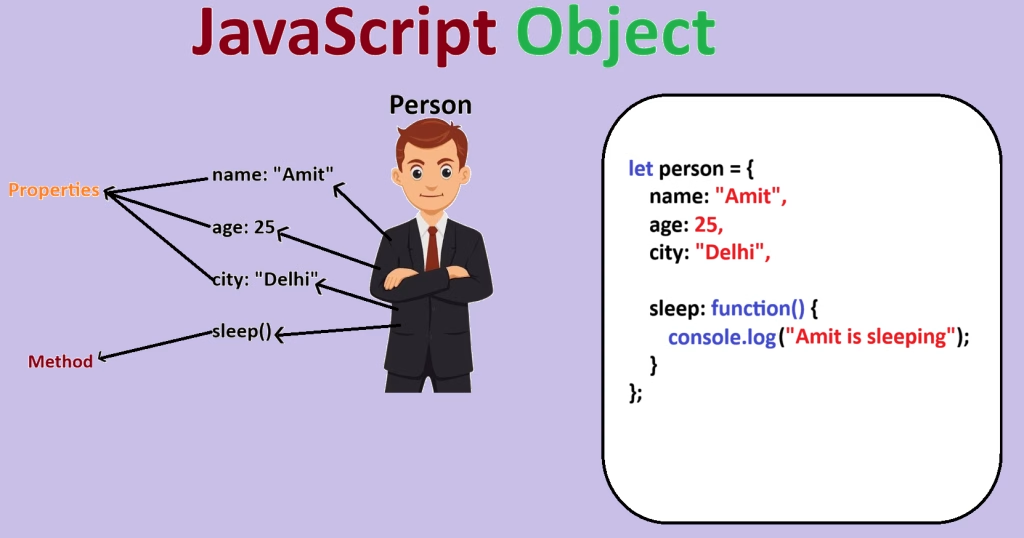
1. Creating Objects
Curly braces { } are used to create objects.
let student = {
    name: "Rahul",
    age: 20
};
2. Properties
The data stored within an object is called properties.
let student = {
    name: "Rahul",
    age: 20
};
Here:
- name → property
- “Rahul” → property value
- age → property
- 20 → property value
You can use the . dot operator to access the value of a property.
console.log(student.name);
console.log(student.age);
Output:
Rahul 20
3. Methods
The function inside an object is called a method.
let student = {
    name: "Rahul",
    greet: function() {
        console.log("Hello Rahul");
    }
};
student.greet();
Here greet() is a method. Its function is to print “Hello Rahul.”
Remember:
Object = Data + Action
Properties → Data within the object
Methods → Functions/Actions within the object
So, the main purpose of an object is to organize the information and actions associated with it into a single unit.