
JavaScript Objects: Accessing, Updating & Deleting Properties
When working with objects in JavaScript, we primarily access, update, and delete properties. There are multiple ways to access properties.
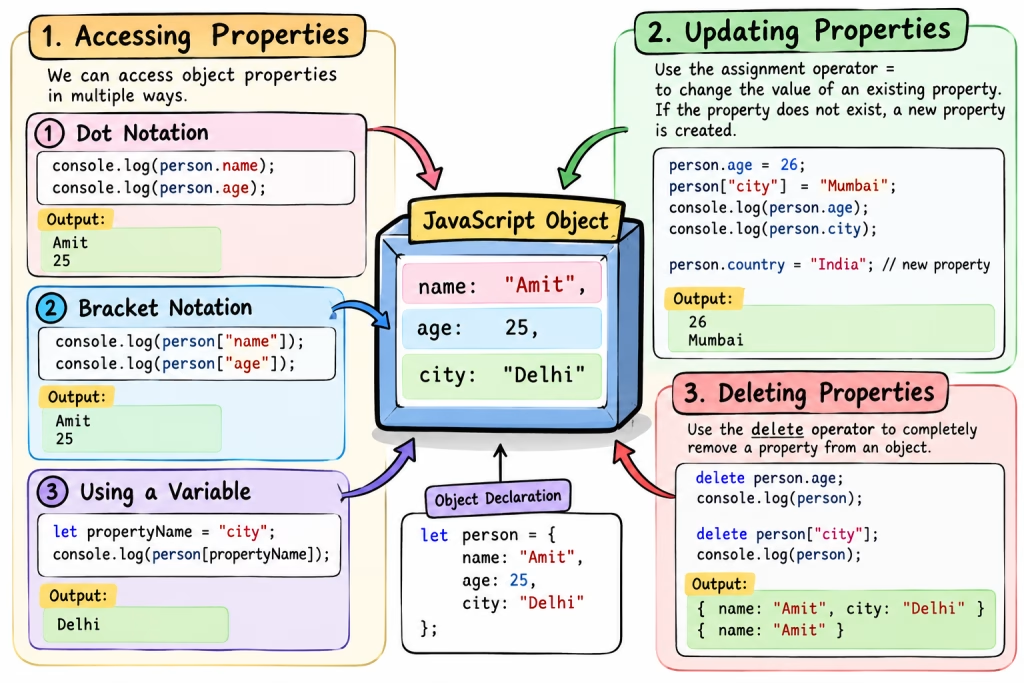
1. Accessing Properties
There are primarily two ways to access the value of an object’s property in JavaScript.
Dot Notation
When writing a property name directly, we use dot notation.
let person = {
name: "Amit",
age: 25,
city: "Delhi"
};
console.log(person.name);
console.log(person.age);
Output:
Amit 25
Bracket Notation
In bracket notation, property names are written within [].
console.log(person["name"]);
console.log(person["age"]);
This is also useful when the property name is stored in a variable.
let propertyName = "city";
console.log(person[propertyName]);
Output:
Delhi
2. Updating Properties
Use the assignment operator = to change the value of an existing property.
person.age = 26;
person["city"] = "Mumbai";
console.log(person.age);
console.log(person.city);
Output:
26
Mumbai
If the property does not exist, the assignment can create a new property.
person.country = "India";3. Deleting Properties
Delete operator is used to completely remove a property from an object.
delete person.age;
console.log(person);
Now age property will not be an object.
You can also delete with bracket notation:
delete person["city"];