
Conditional Statements in JavaScript
Conditional statements allow your program to decide:
- Which code should run
- Which code should be skipped
- How the flow of execution should behave
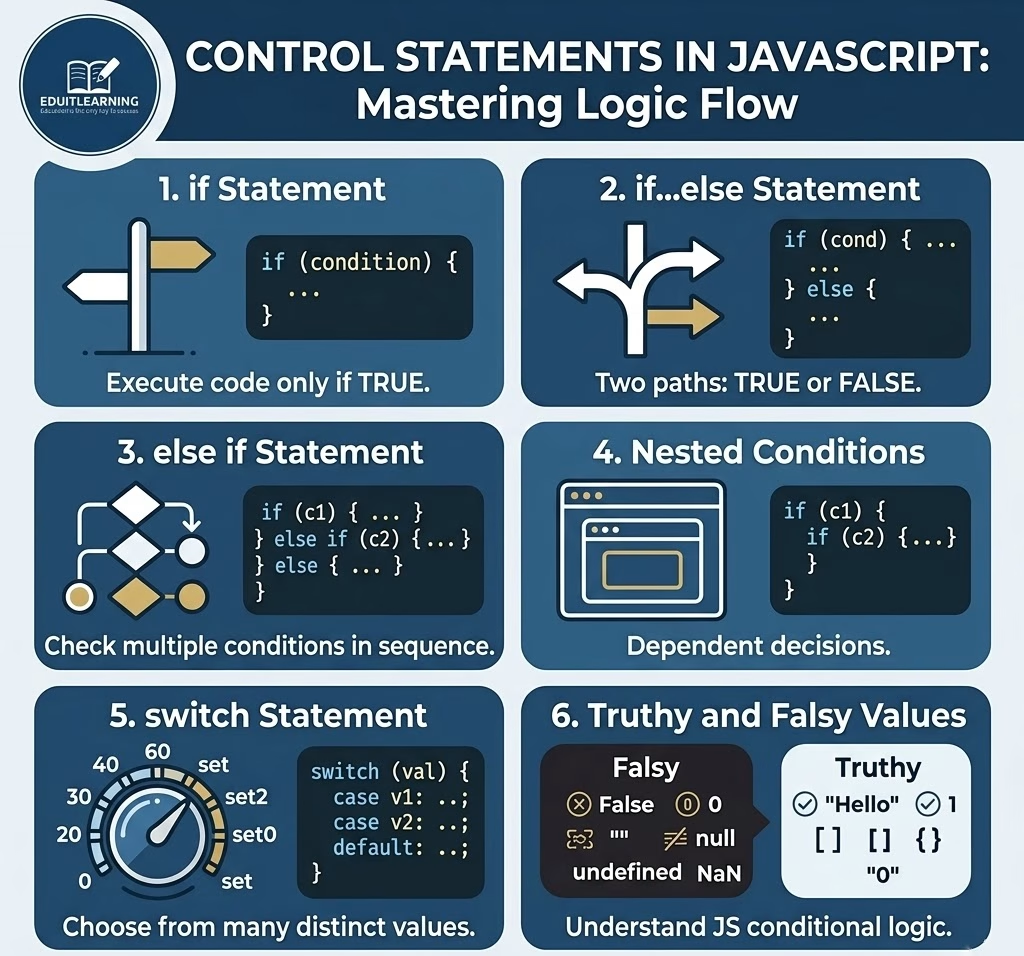
What Are Conditional Statements?
Conditional statements are used to control the flow of execution in a program.
In simple terms, they help your program think like this:
- If something is true → do this
- Otherwise → do something else
1. if Statement
The if statement is the most basic control statement. It is used when you want to execute a block of code only when a condition is true.
Syntax:
if (condition) {
    // code to execute
}
Example:
let marks = 60;
if (marks >= 50) {
    console.log("You passed the exam");
}- The condition marks >= 50 is checked
- If it is true, the code inside the block runs
- If it is false, nothing happens
2. if…else Statement
The if…else statement is used when you want to handle both cases:
- When the condition is true
- When the condition is false
when condition is true, if block will be executed otherwise else block will be executed.
Syntax:
if (condition) {
    // code if true
} else {
    // code if false
}
Example:
let age = 15;
if (age >= 18) {
    console.log("You are eligible to vote");
} else {
    console.log("You are not eligible to vote");
}- If the condition is true → if block runs
- If the condition is false → else block runs
- Only one block executes at a time
3. if else if Statement
When you need to check multiple conditions, you use else if.
Syntax:
if (condition1) {
    // code
} else if (condition2) {
    // code
} else if (condition3) {
    // code
} else {
    // default code
}
Example:
let marks = 82;

if (marks >= 90) {
    console.log("Grade A+");
} else if (marks >= 75) {
    console.log("Grade A");
} else if (marks >= 50) {
    console.log("Grade B");
} else {
    console.log("Fail");
}- Conditions are checked from top to bottom
- As soon as one condition becomes true, that block executes
- Remaining conditions are skipped
4. Nested Conditions
Nested conditions mean placing one if statement inside another if statement.
This is useful when one condition depends on another.
Example:
let age = 20;
let hasID = true;

if (age >= 18) {
    if (hasID) {
        console.log("Entry allowed");
    } else {
        console.log("ID is required");
    }
} else {
    console.log("Entry not allowed");
}- First condition checks age
- If true, then second condition checks ID
- If first condition is false, inner condition is never executed
Nested conditions are useful in applications like:
- Login systems
- Payment verification
- User authentication
5. switch Statement
The switch statement is used when you have multiple conditions based on a single value.
It is often cleaner than writing many else if statements. It is mainly used when we have to check only equal condition(==).
Syntax:
switch (value) {
    case value1:
        // code
        break;
    case value2:
        // code
        break;
    default:
        // default code
}
Example:
let day = 4;

switch (day) {
    case 1:
        console.log("Monday");
        break;

    case 2:
        console.log("Tuesday");
        break;

    case 3:
        console.log("Wednesday");
        break;

    case 4:
        console.log("Thursday");
        break;

    default:
        console.log("Invalid day");
}- The value of day is compared with each case
- When a match is found, that block executes
- break stops further execution
- If no case matches, the default block runs
6. Truthy and Falsy Values in JavaScript
In JavaScript, conditions do not always use only true or false.
Some values are automatically treated as:
- Truthy (true-like)
- Falsy (false-like)
Falsy Values
These values are always treated as false:
- False
- 0
- “”
- Null
- Undefined
- NaN
Example:
let data = "";

if (data) {
    console.log("Data exists");
} else {
    console.log("No data found");
}- Empty string “” is falsy
- So the else block executes
Truthy Values
All other values are considered truthy:
- “Hello”
- 1
- -10
- []
- {}
- “0”
Example:
let username = "Ritik";

if (username) {
    console.log("User is logged in");
}- Non-empty string is truthy
- So the condition becomes true
Why Truthy and Falsy Are Important?
if (userEmail) {
    console.log("Email exists");
}
Instead of writing:
if (userEmail === true)This makes code simpler and more readable.
Example:
let userLoggedIn = true;
let isPremiumUser = false;

if (userLoggedIn) {
    if (isPremiumUser) {
        console.log("Access all features");
    } else {
        console.log("Limited access");
    }
} else {
    console.log("Please login first");
}
Conclusion
Control statements are one of the most important parts of JavaScript.
They help you:
- Build logic
- Make decisions
- Create real applications
You should clearly understand:
- if, else, else if
- Nested conditions
- switch statement
- Truthy and falsy values
Without these concepts, programming is incomplete.