
Loops in JavaScript
When we write programs, many times we need to perform the same task multiple times.
For example:
- Print numbers from 1 to 10
- Display all items of an array
- Calculate the sum of numbers
- Process records from a database
Writing the same statement again and again is not a good practice.
To solve this problem, JavaScript provides Loops.
A loop allows us to execute a block of code repeatedly until a condition becomes false.
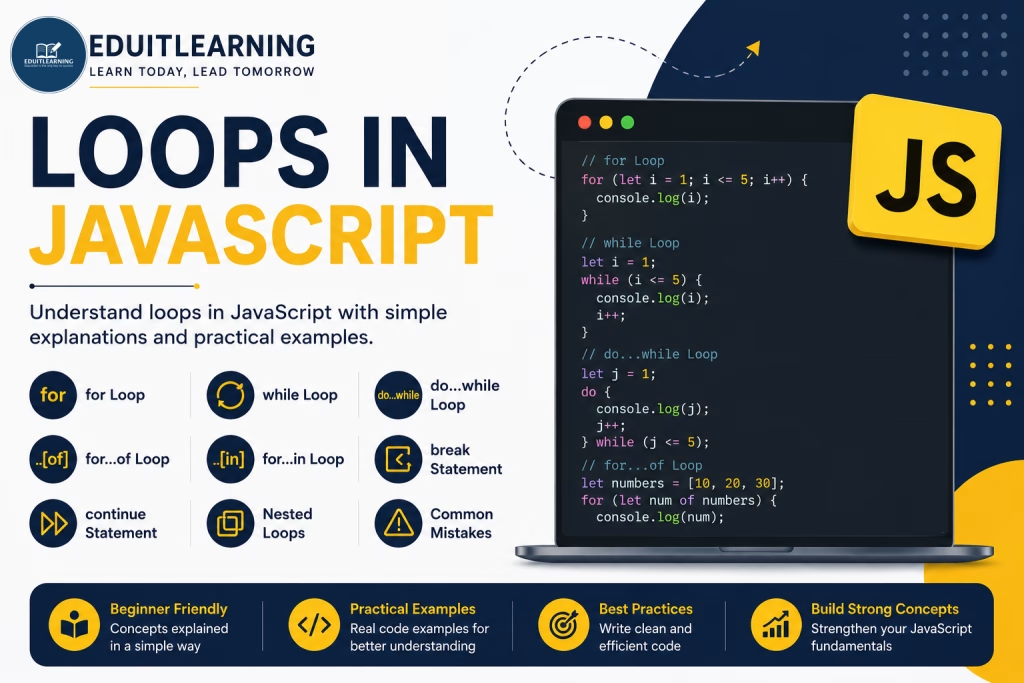
Why Do We Need Loops?
Suppose you want to print numbers from 1 to 5.
Without a loop:
console.log(1);
console.log(2);
console.log(3);
console.log(4);
console.log(5);
This works, but imagine printing numbers from 1 to 1000.
Writing 1000 statements is not practical.
Using a loop:
for(let i = 1; i <= 5; i++){
    console.log(i);
}
The loop automatically repeats the code.
Types of Loops in JavaScript
JavaScript provides several types of loops:
- for Loop
- while Loop
- do…while Loop
- for…of Loop
- for…in Loop
for Loop
The for loop is used when we know in advance how many times a block of code should run, or when we can define the starting value, condition, and update expression. It is one of the most commonly used loops in JavaScript.
Syntax
for(initialization; condition; update){
    // code
}
Initialization(Starting point of Loop)
Initialization is the starting point of the loop. It is executed only once when the loop begins and is generally used to declare and initialize the loop control variable.
let i = 1;Condition(Ending point of Loop)
Checked before every iteration. Condition is used to check whether the loop should continue running or terminate. It is evaluated before each iteration of the loop.
i <= 5If true, the loop runs.
If false, the loop stops.
Update
Executed after every iteration.
i++Example
for(let i = 1; i <= 5; i++){
    console.log(i);
}
Output
1
2
3
4
5
while Loop
The while loop is used when the number of iterations is not fixed. It continues executing the block of code as long as the specified condition remains true. The condition is checked before each iteration.
Syntax
while(condition){
    // code
}
The loop continues as long as the condition remains true.
Example
let i = 1;
while(i <= 5){
    console.log(i);
    i++;
}
Output
1
2
3
4
5
Infinite while Loop
while(true){
    console.log("Hello");
}
The condition is always true. Therefore, the loop never stops. This is called an Infinite Loop.
do…while Loop
In a while loop, the condition is checked before execution. In a do…while loop, the condition is checked after execution.
This means the loop body executes at least one time.
Syntax
do{
    // code
}
while(condition);
Example
let i = 1;
do{
    console.log(i);
    i++;
}
while(i <= 5);
Output
1
2
3
4
5
Difference between while & do…while loop
while Loop
let i = 10;
while(i < 5){
    console.log(i);
}
Output:
No Output. Because Condition is false initially.
do…while Loop
let i = 10;
do{
    console.log(i);
}
while(i < 5);
Output:
10
The code executes once before checking the condition.
for…of Loop
The for…of loop is used to iterate through iterable objects such as:
- Arrays
- Strings
- Maps
- Sets
Syntax
for(variable of iterable){
// code
}
Example with Array
letnumbers= [10, 20, 30, 40];
for(let value of numbers){
  console.log(value);
}
Output
10
20
30
40
Example with String
letname="EDUI";
for(let ch of name){
   console.log(ch);
}
Output
E
D
U
I
for…in Loop
The for…in loop is mainly used for objects. It iterates through object properties (keys).
Syntax
for(key in object){
    // code
}
Example
let student = {
    name: "Ritik",
    age: 22,
    city: "Delhi"
};
for(let key in student){
    console.log(key);
}
Output
name
age
city
Accessing Values
let student = {
    name: "Ritik",
    age: 22,
    city: "Delhi"
};
for(let key in student){
    console.log(key, student[key]);
}
Output
name Ritik
age 22
city Delhi
break Statement
The break statement immediately terminates the loop.
Example
for(let i = 1; i <= 10; i++){
    if(i === 5){
        break;
    }
    console.log(i);
}
Output
1
2
3
4
When i becomes 5, the loop stops completely.
continue Statement
The continue statement skips the current iteration and moves to the next iteration.
Example
for(let i = 1; i <= 5; i++){
    if(i === 3){
        continue;
    }
    console.log(i);
}
Output
1
2
4
5
Number 3 is skipped.
Nested Loops
A loop inside another loop is called a Nested Loop.
Example
for(let i = 1; i <= 3; i++){
    for(let j = 1; j <= 2; j++){
        console.log(i, j);
    }
}
Output
1 1
1 2
2 1
2 2
3 1
3 2
Most Important Questions
1. What is a loop in JavaScript and why is it used?
A loop is used to execute a block of code repeatedly until a specified condition becomes false. It helps reduce code duplication and improves efficiency.
2. What are the different types of loops available in JavaScript?
JavaScript provides the following loops:
- for Loop
- while Loop
- do…while Loop
- for…of Loop
- for…in Loop
3. What is the difference between a while loop and a do…while loop?
In a while loop, the condition is checked before executing the loop body.
In a do…while loop, the loop body executes first and then the condition is checked.
Therefore, a do…while loop always executes at least one time.
4. When should you use a for loop?
A for loop should be used when the number of iterations is known in advance or when the starting value, condition, and update expression can be clearly defined.
5. What is the difference between for…of and for…in loops?
| for…of | for…in |
| Iterates over values | Iterates over keys/properties |
| Used with arrays, strings, maps, sets | Mainly used with objects |
| Returns actual values | Returns property names or indexes |
6. What is an infinite loop?
An infinite loop is a loop that never terminates because its condition always remains true.
Example:
while(true){
    console.log("Infinite Loop");
}
7. What is the purpose of the break statement inside a loop?
The break statement immediately terminates the loop and transfers control to the statement following the loop.
Example:
for(let i = 1; i <= 10; i++){
    if(i === 5){
        break;
    }
    console.log(i);
}
8. What is the purpose of the continue statement?
The continue statement skips the current iteration and moves directly to the next iteration of the loop.
Example:
for(let i = 1; i <= 5; i++){
    if(i === 3){
        continue;
    }
    console.log(i);
}
9. Can a loop be placed inside another loop?
Yes. A loop inside another loop is called a Nested Loop. Nested loops are commonly used for working with matrices, patterns, and multidimensional data.
10. Which loop is best for iterating through an array?
The for…of loop is generally preferred because it directly provides array values and makes the code more readable.
Example:
let numbers = [10, 20, 30];
for(let value of numbers){
    console.log(value);
}
11. What happens if you forget to update the loop variable in a while loop?
The condition may never become false, resulting in an Infinite Loop.
Example:
let i = 1;
while(i <= 5){
    console.log(i);
}
Since i is never incremented, the loop runs forever.