
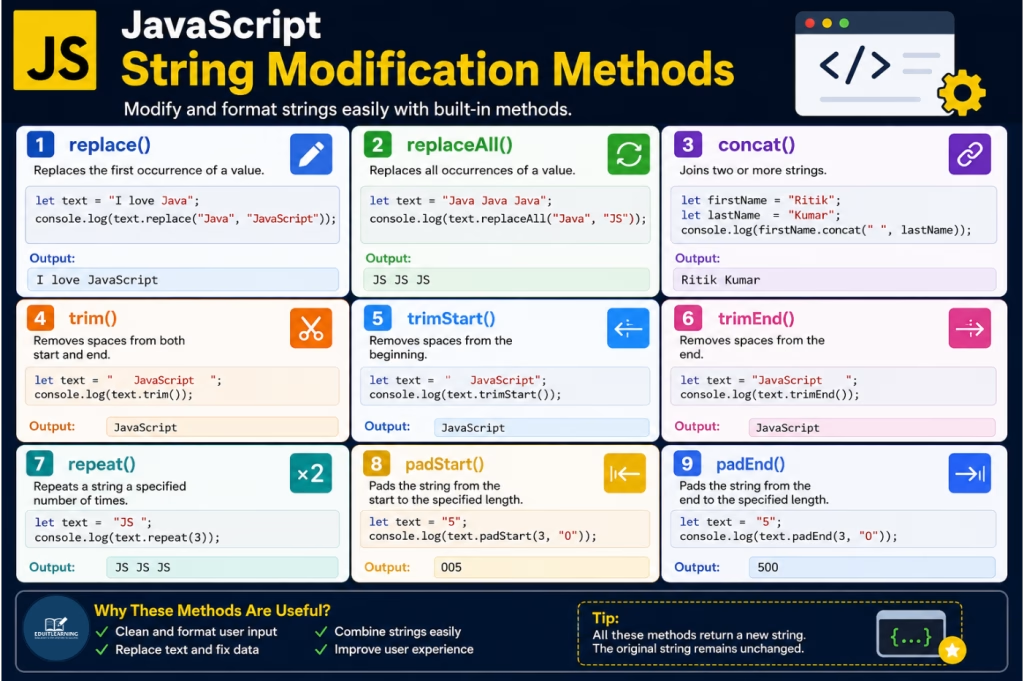
JavaScript String Modification Methods
In the previous article, we learned how to create strings, search text inside strings, and extract specific portions from strings.
However, in real-world applications, we often need to modify the contents of a string. For example, we may want to replace words, remove unnecessary spaces, join multiple strings, repeat text, or format values before displaying them to users.
To perform such operations, JavaScript provides several String Modification Methods.
In this article, we will learn the most commonly used JavaScript String Modification Methods with syntax, arguments, examples, outputs, and practical use cases.
replace()
The replace() method replaces the first occurrence of a specified value with another value.
This method is useful when we want to modify a specific word or part of a string.
Syntax
string.replace(searchValue, newValue)Parameters
| Parameter | Description |
| searchValue | The text that should be replaced |
| newValue | The new text that will replace the old text |
Example
let text = "I love Java";
console.log(text.replace("Java", "JavaScript"));Output
I love JavaScript
In this example, JavaScript searches for the word “Java” and replaces it with “JavaScript”.
Example: Multiple Occurrences
let text = "Java Java Java";
console.log(text.replace("Java", "JS"));
Output
JS Java Java
Only the first occurrence is replaced.
replaceAll()
The replaceAll() method replaces all occurrences of a specified value.
Unlike replace(), this method does not stop after the first match.
Syntax
string.replaceAll(searchValue, newValue)Parameters
| Parameter | Description |
| searchValue | Text to search |
| newValue | Replacement text |
Example
let text = "Java Java Java";
console.log(text.replaceAll("Java", "JS"));Output
JS JS JS
Every occurrence of “Java” is replaced with “JS”.
concat()
The concat() method joins two or more strings together.
Although most developers use the + operator, the concat() method is another way to combine strings.
Syntax
string.concat(value1, value2, ...)Parameters
| Parameter | Description |
| value1, value2… | Strings that will be joined together |
Example
let firstName = "Ritik";
let lastName = "Kumar";
console.log(firstName.concat(" ", lastName));Output
Ritik Kumar
The first name, space, and last name are combined into a single string.
trim()
Sometimes users accidentally enter extra spaces before or after text.
The trim() method removes spaces from both the beginning and end of a string.
Syntax
string.trim()Example
let text = "   JavaScript   ";
console.log(text.trim());Output
JavaScript
The spaces before and after the text are removed.
trimStart()
The trimStart() method removes spaces only from the beginning of a string.
Syntax
string.trimStart()Example
let text = "   JavaScript";
console.log(text.trimStart());Output
JavaScript
Only the leading spaces are removed.
trimEnd()
The trimEnd() method removes spaces only from the end of a string.
Syntax
string.trimEnd()Example
let text = "JavaScript   ";
console.log(text.trimEnd());Output
JavaScript
Only the trailing spaces are removed.
repeat()
The repeat() method repeats a string a specified number of times.
Syntax
string.repeat(count)Parameters
| Parameter | Description |
| count | Number of times the string should be repeated |
Example
let text = "JS ";
console.log(text.repeat(3));Output
JS JS JS
The string is repeated three times.
padStart()
What is padStart()?
The padStart() method adds characters to the beginning of a string until the specified length is reached.
Syntax
string.padStart(targetLength, padString)Parameters
| Parameter | Description |
| targetLength | Desired length of the final string |
| padString | Character(s) used for padding |
Example
let text = "5";
console.log(text.padStart(3, "0"));Output
005
Two zeros are added before the number to make the total length 3.
padEnd()
The padEnd() method adds characters at the end of a string until the specified length is reached.
Syntax
string.padEnd(targetLength, padString)Parameters
| Parameter | Description |
| targetLength | Desired length |
| padString | Character(s) used for padding |
Example
let text = "5";
console.log(text.padEnd(3, "0"));Output
500
Two zeros are added after the number.
Summary
JavaScript provides several methods to modify strings efficiently.
These methods are frequently used in form validation, text processing, user input handling, data formatting, and real-world web development projects.